
Brand-mandated remodels
Run a franchisor's reimage program across your whole portfolio
When a franchisor rolls out a new image, the remodel lands on your capital plan with a deadline attached. RolloutIQ runs each store's remodel from the new prototype's template with its budget under approval, so you can see how the program is tracking without a weekly rollup.
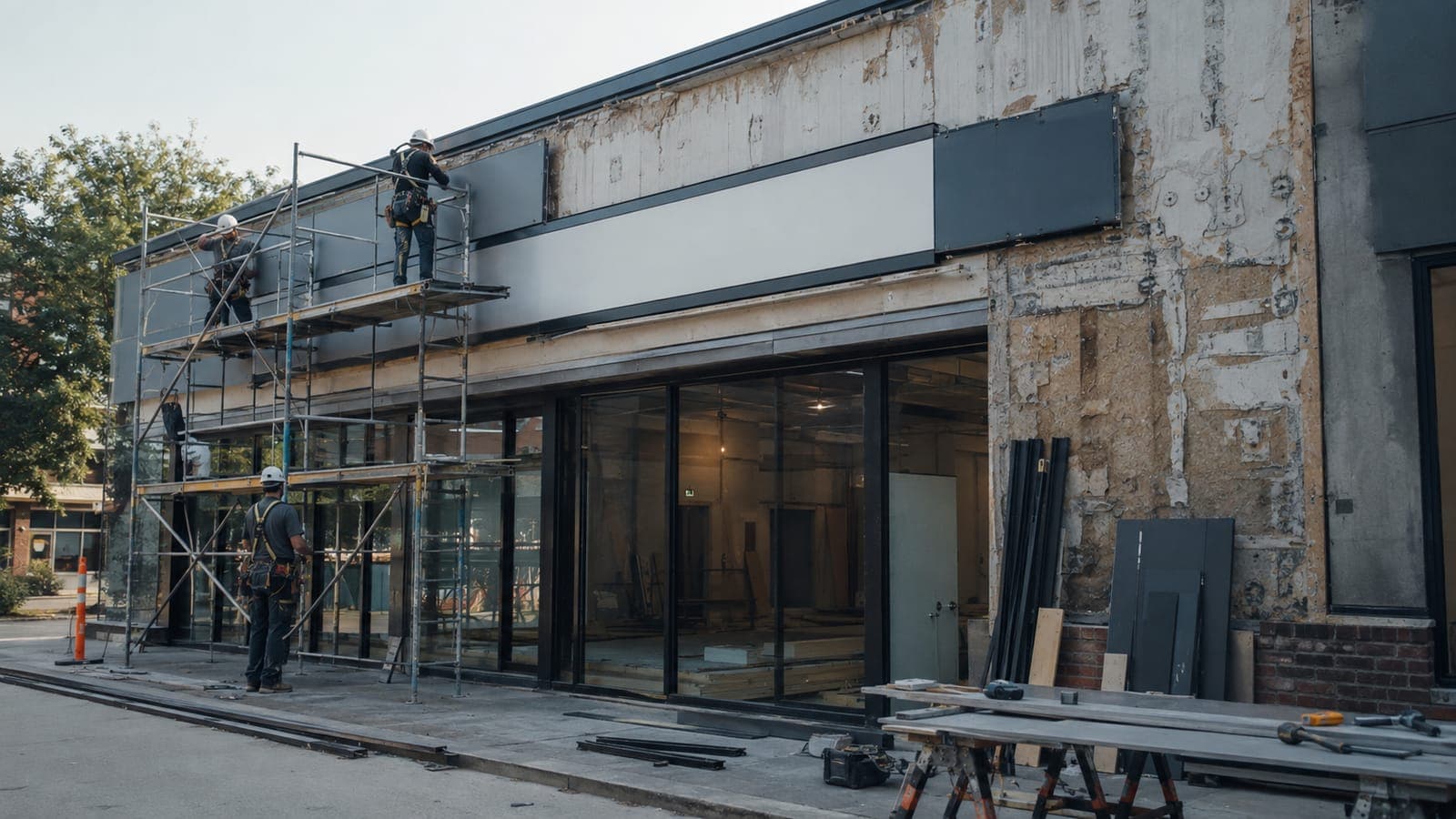
The way it works today
What a mandated remodel program looks like today
The franchisor sets the design and the deadline, and sometimes an incentive for finishing early. The franchisee handles the sequencing and pays the contractors, usually across dozens of stores that keep trading while the work happens.
Large checks per store
RBI's 2022 plan for Burger King put a remodel at about $500,000 for lighter scope and up to $1.8 million for a full rebuild, which turns a small overrun per store into real money across a portfolio.
System-wide deadlines
Popeyes reported that about 85% of its franchisees committed to a remodel and reimage program covering the US system by 2030. McDonald's has announced $8.5 billion in partnering support through 2036 for its next round of upgrades.
Several clocks at once
A multi-brand operator can sit inside two or three franchisors' remodel programs in the same years, each with its own prototype and deadline, all drawing on one construction team.
1,100
more Burger King remodels planned by 2028, targeting 85% to 90% of US restaurants at the modern image
Restaurant Dive, 2024
How RolloutIQ runs it
How RolloutIQ runs a mandated remodel program
One remodel project per store
Every store in the program gets a project of your remodel type, attached to the location it already has, so the history from its original build stays with it.
See how it works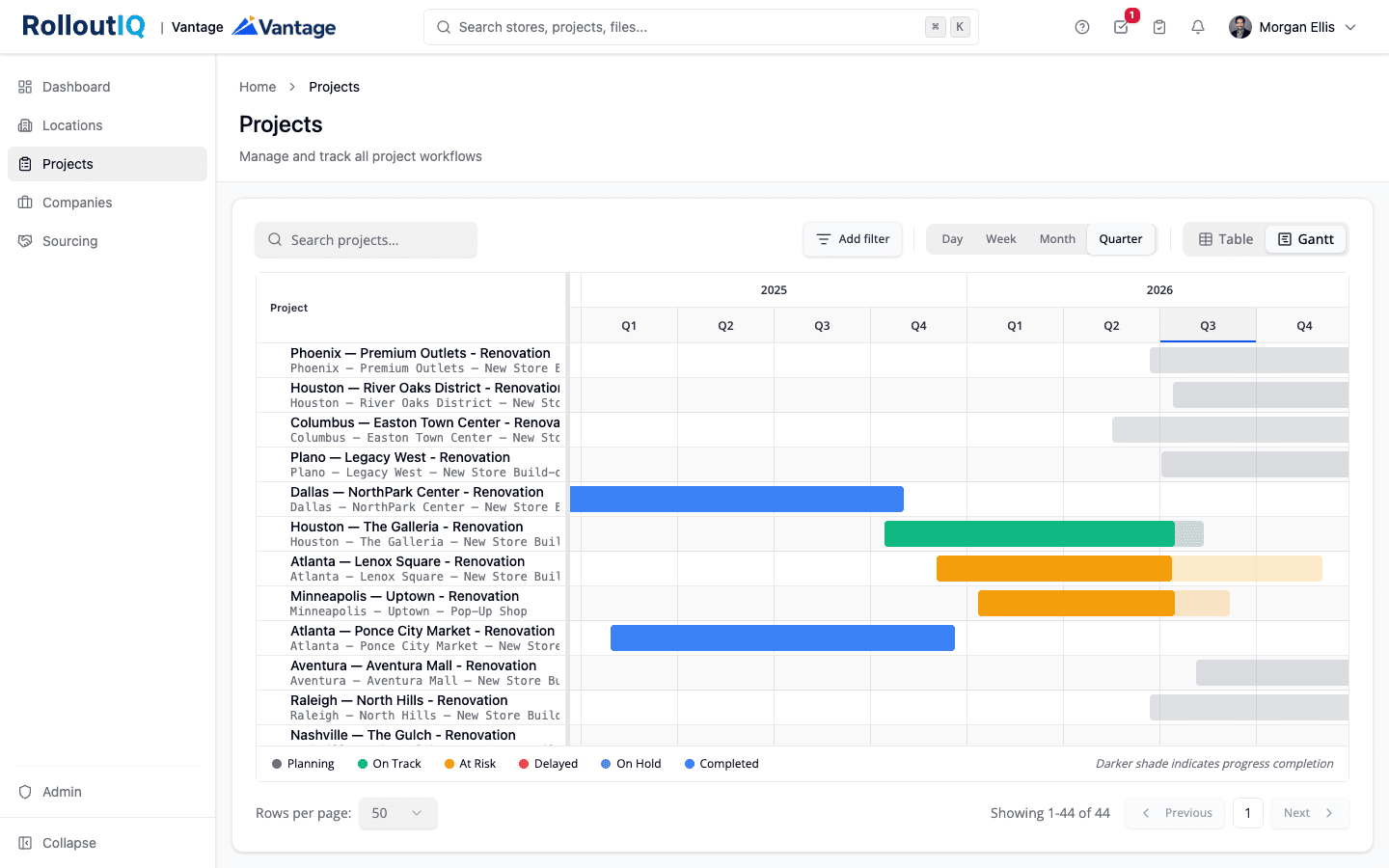
Every remodel in the program on one portfolio Gantt.
A template for the new prototype
Encode the franchisor's reimage scope and approval steps as a schedule template with owners by role. When the franchisor revises the prototype, duplicate the template and edit the copy for the stores that have not started.
See how it works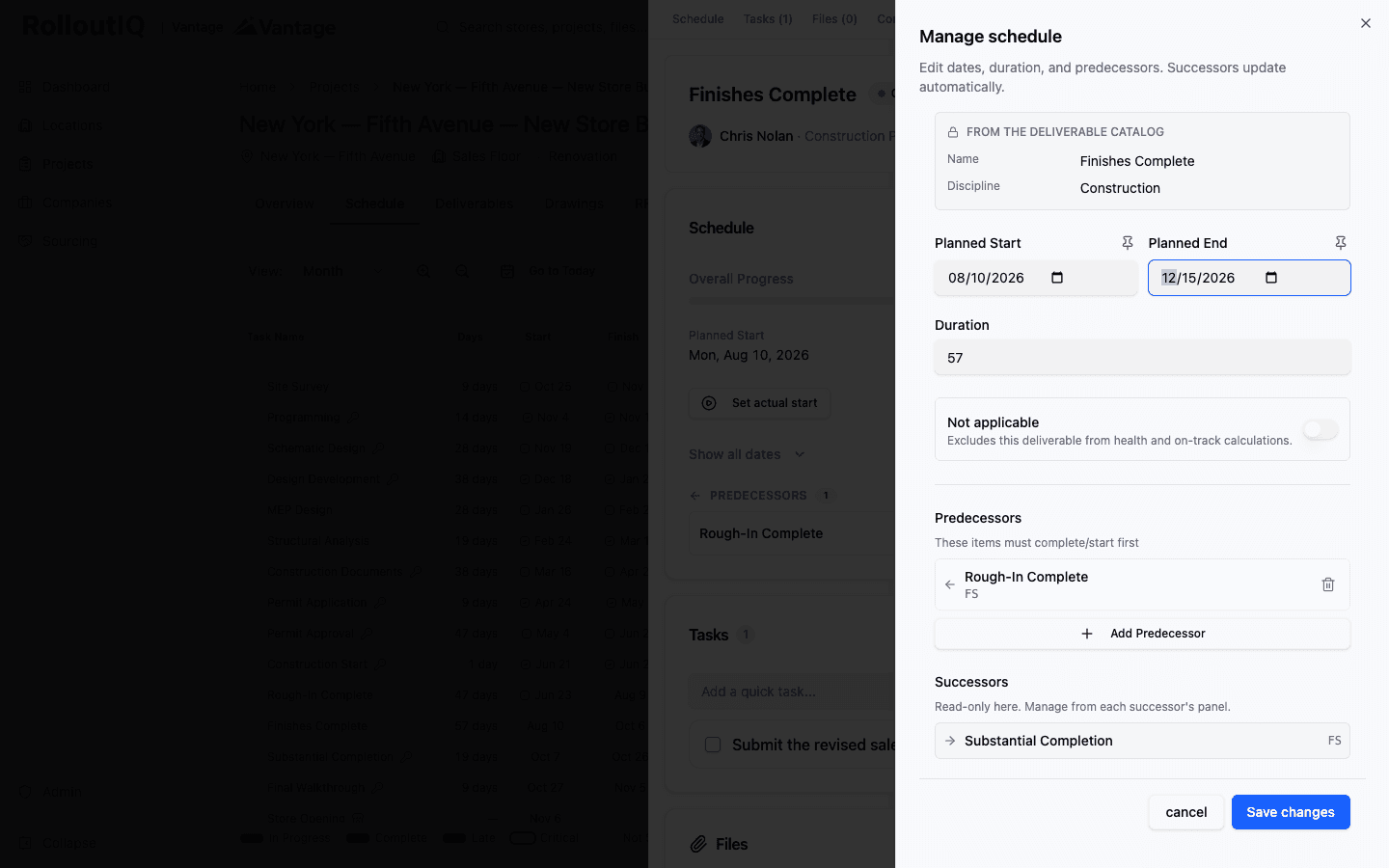
A slipped milestone recalculates everything downstream of it.
Govern each store's budget
Build each remodel budget from your cost structure and lock it with an approval routed by brand and region. Later revisions go through sign-off and leave a version history.
See how it works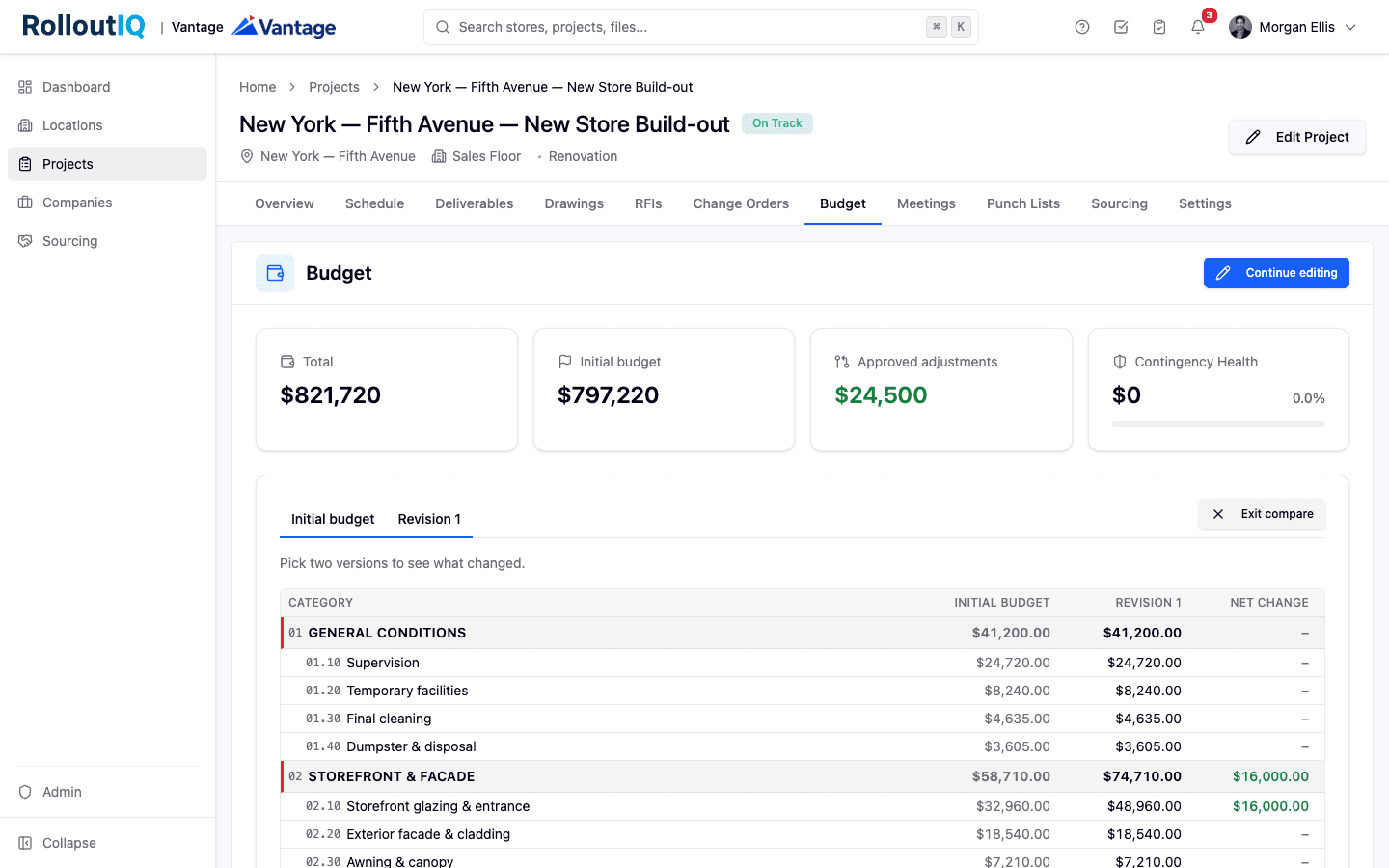
Every budget revision approved and kept in the history.
Price changes as they come in
Change orders from the general contractor route for approval and, once approved, open a draft budget revision that goes through its own sign-off, so scope creep is visible store by store while the work is still underway.
See how it works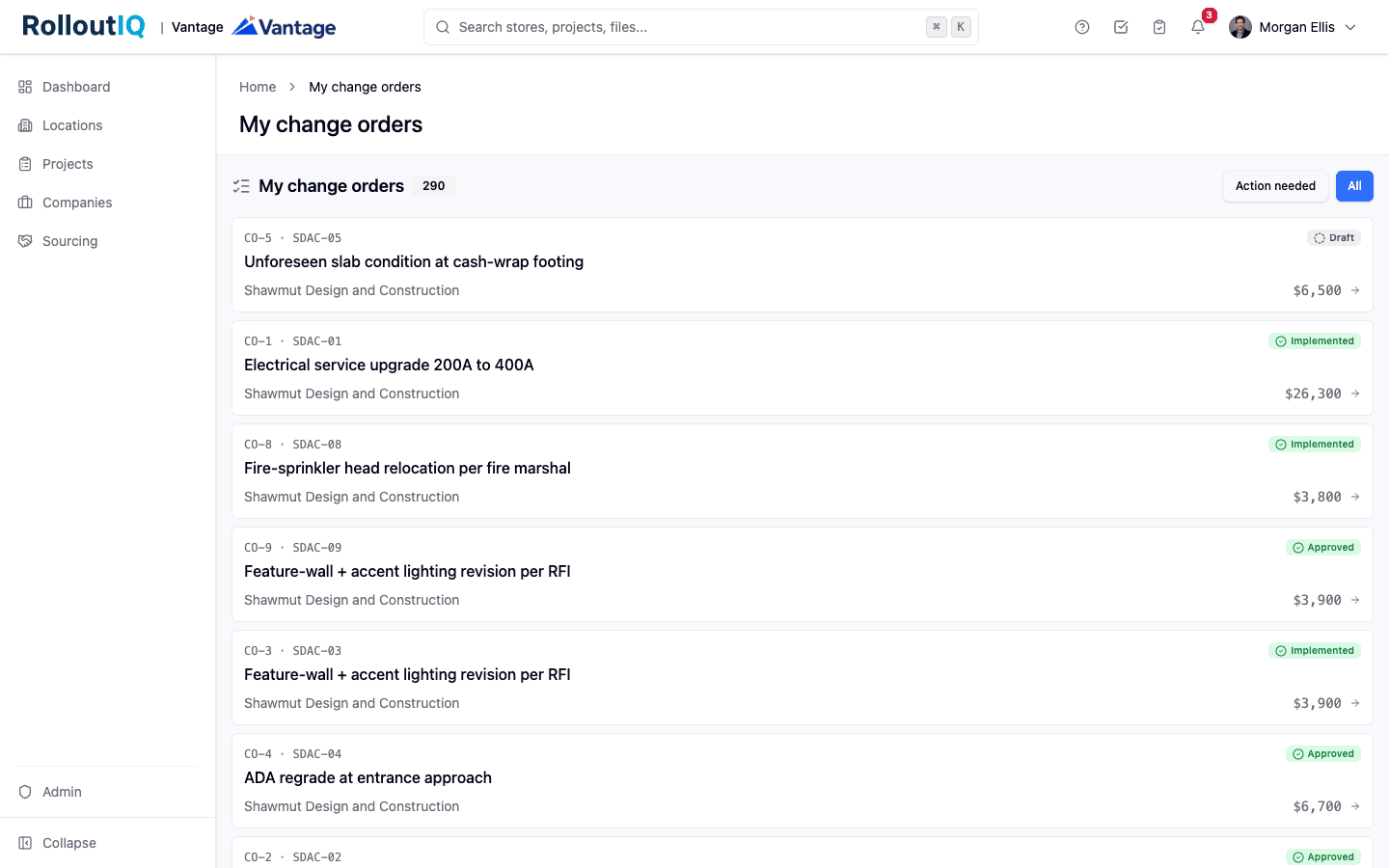
Priced changes wait for the right signer.
Close out to the brand standard
Walk each finished remodel with a punch list pinned to the floor plan, and the walk cannot be completed while critical items remain open.
See how it works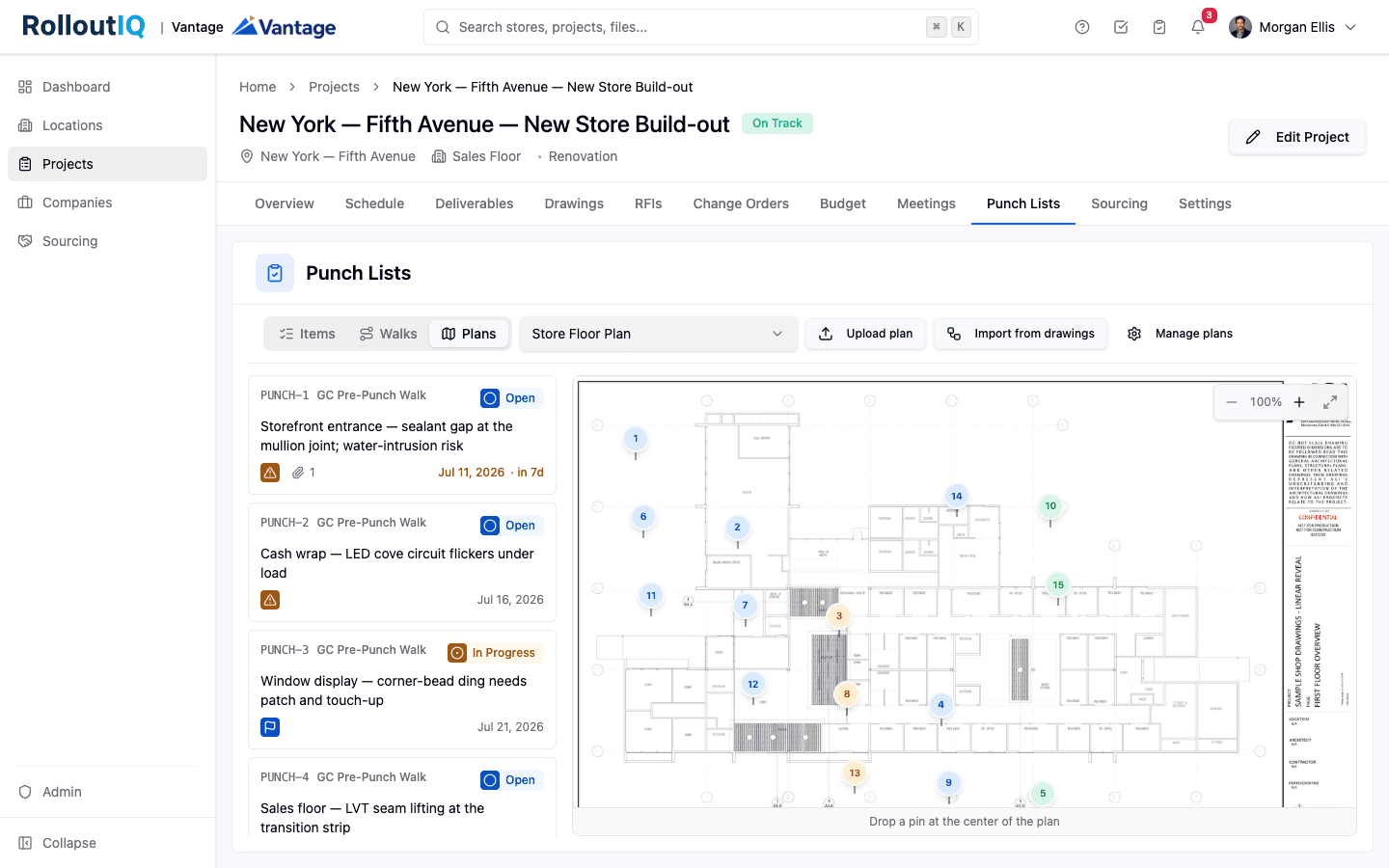
Punch items pinned where they are on the floor plan.
In practice
Two reimage programs sharing one construction team
A group running a burger brand and a chicken brand can find itself inside both franchisors' reimage programs in the same years, with different prototypes and different finish dates. With each program on its own template, one construction team can plan both waves on the portfolio Gantt and check each contractor's Projects tab to see where the waves overlap.
FAQ
Common questions
Add it as a custom date field on each store or project. It appears in Portfolio Explorer next to each project's planned completion, so you can see which stores are on pace for it.
RolloutIQ governs each remodel's approved budget and records every revision. Invoices and payments stay in your accounting system.
See a remodel program across every brand
Book a walkthrough and we will show you a remodel wave running on a prototype template, with each store's budget governed and the whole program on one screen.