
Solutions for Wireless & Device Retail
Wireless Store Buildout and Rollout Management
Wireless stores move whenever a lease comes up. A new carrier store design can put the whole fleet into a refresh at once, and that can land in the same stretch a mall kiosk has to open before holiday traffic arrives. RolloutIQ™ keeps them all on one schedule, whether you run carrier-owned stores or a few hundred locations as an authorized retailer.

The Challenge
Where wireless store rollouts and refreshes fall behind
Carrier Refreshes Across a Dealer Fleet
When a carrier changes its store design, every authorized retailer selling under that brand has a refresh to finish by the carrier's deadline, spread across dozens of landlords and permit offices. Without one schedule per store, status reaches the carrier's team as a stack of dealer spreadsheets.
Kiosks and In-Line Stores on the Landlord's Clock
A mall kiosk or in-line store opens only after the landlord signs off on the design and the kiosk fabricator ships on time. If the approval comes back late, a space you are already paying for can sit dark through the holiday season.
Relocations Every Time a Lease Comes Up
Wireless stores relocate often, whether that means a bigger suite across the center or a move out of the mall to a pad site. Each relocation is a new buildout and a closing at the same time, and the old store's records tend to get lost in the handoff.
Low-Voltage and Device Display Installs
Network cabling, the alarm system, and the live device displays with their security tethers come from separate specialty vendors who all want the last few days before opening. Turnover to the store team waits until the last of those appointments is kept.
Platform Features
One system for every wireless store buildout and refresh
RolloutIQ™ gives carrier store teams and authorized retailers one record per store, from the signed lease through closeout, with schedule templates sized for short builds.
Stores and Kiosks on One Map
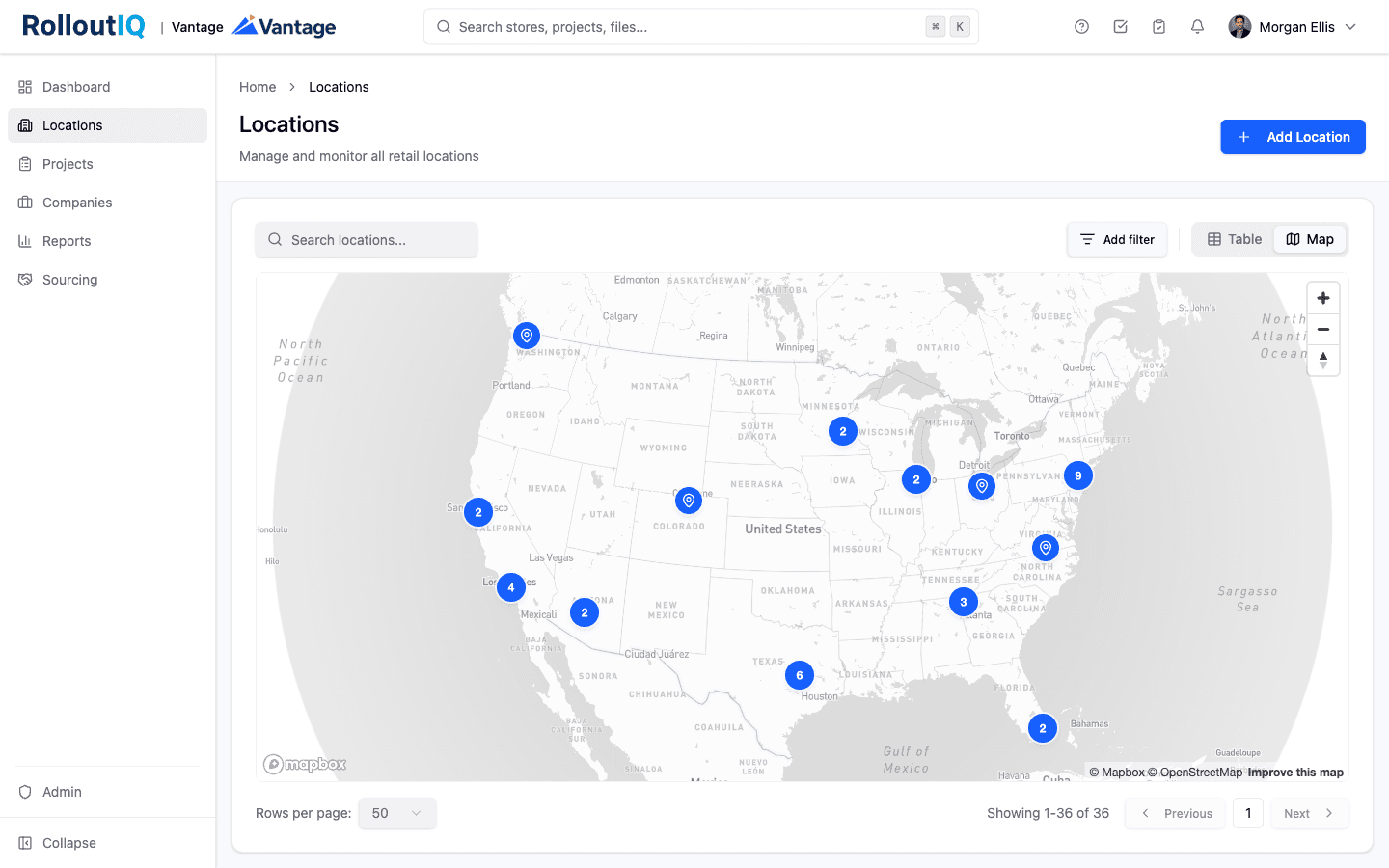
See the whole fleet on a map or in a table and filter it by brand, region, or market. Each kiosk or in-line suite sits as a space under its store, typed the way your team names it, and so does a pad site.
Templates Built for Short Turns
Kiosks and in-line buildouts get short-turn schedule templates, and so does each carrier refresh scope. Landlord design approval and the carrier's sign-off go in as deliverables with an owner, so any store waiting on either one shows it.
Relocations That Keep Their History
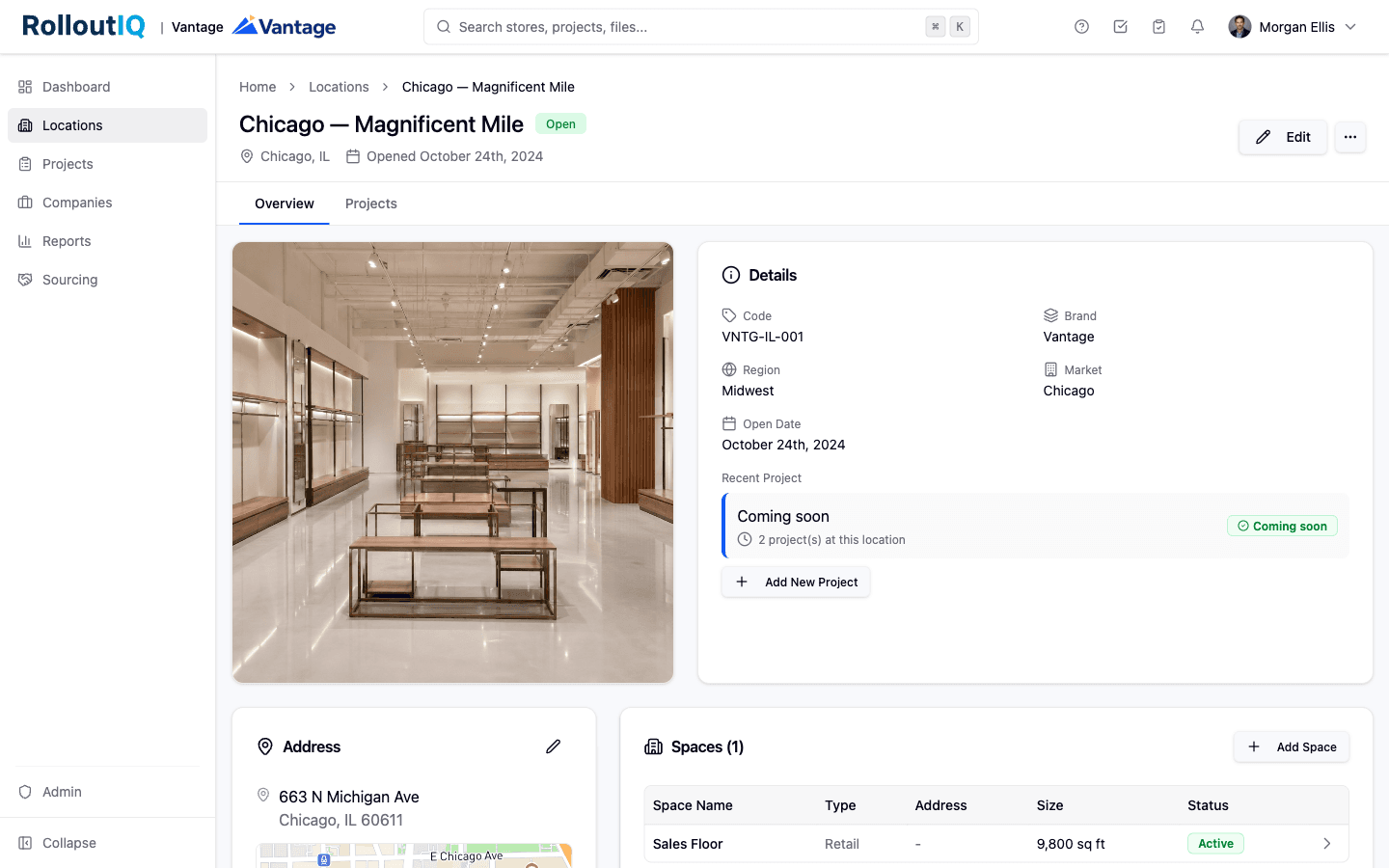
When a store moves, the new premises gets its own space record and its own buildout project while the closing store keeps everything it carried. The location holds both projects, and years later anyone can open it and read the store's full history.
Access for Installers and Display Vendors
Give a low-voltage installer or a display vendor a role on the stores it works, and that company's people can open those stores while the rest of your fleet stays out of view.
Refresh Status the Carrier Can Read
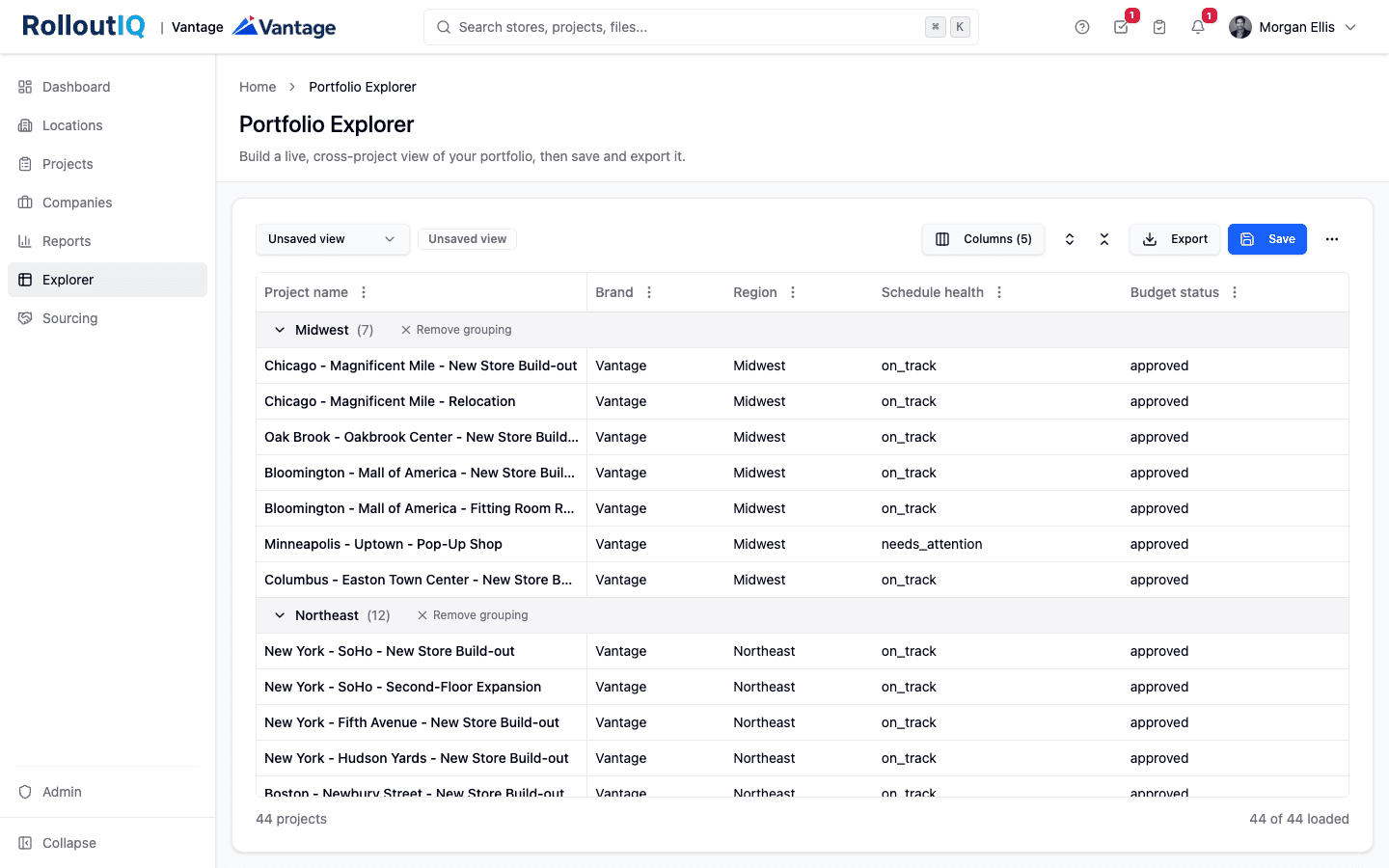
With a custom field for the carrier or the refresh deadline, Portfolio Explorer can filter the program on it and export the result to Excel for your next review with the carrier's team.
For franchise groups
For authorized retailers running carrier-branded stores
Carriers sell through dealers as well as their own stores, and Verizon's 2025 10-K says the majority of its agents' sales are made under exclusive selling arrangements with Verizon. RolloutIQ™ gives a dealer group one workspace for every store it runs, tagged by brand.
Carrier approvals as milestones
Put the carrier's design review and opening sign-off into each template, with an owner on every step.
Brand on every store
Each store carries a brand, such as a postpaid banner or a prepaid one, and the store list, Reports, and Portfolio Explorer can each filter to one of them.
Refresh deadlines in view
Each project can carry the carrier's deadline as a custom date, so Portfolio Explorer shows it beside the store's planned completion.
Single Source of Truth
One source of truth for your Wireless & Device Retail portfolio
As your Wireless & Device Retail footprint grows across sites, the same store ends up spread across separate spreadsheets and point tools, and the numbers drift apart. RolloutIQ™ keeps one durable record per store from the first deal through opening day, so your Wireless & Device Retail rollout runs on one set of numbers every team can trust across the whole multi-site portfolio.
See how RolloutIQ™ is the single source of truthInside the Platform
See Your Rollout in One Place
The same RolloutIQ™ system of record that runs the whole program, from deal to grand opening across every store.
By the numbers
Public figures from company filings, trade associations, research firms and federal data on how this industry is building, and none of them are RolloutIQ™ results.
stores run by Victra, Verizon's largest exclusive authorized retailer
Victra, 2026
US repair stores in uBreakiFix's phased rebrand to Asurion, late 2021 through 2022
Asurion, 2021
new Batteries Plus stores opened across 13 states in 2025
Batteries Plus, 2025
Batteries Plus locations open and in development at the end of 2025
Batteries Plus, 2025
Keep reading
Go deeper on the work
FAQ
Common questions
RolloutIQ™ is store development software that wireless carriers and authorized retailers can use to run new stores, kiosks, relocations, and carrier-mandated refreshes on one system. Each store carries its schedule, budget, drawings, and punch list, and a portfolio view shows which refreshes are behind. It covers the construction side of the fleet, so point-of-sale and activations stay in the systems you already use.
Yes, as a dated step in the schedule. Put the landlord's design approval into your kiosk template as a deliverable with an owner and attach the approved drawings to it, and every kiosk built from that template shows whether it is still waiting. RolloutIQ™ approval routing covers money decisions such as budgets and change orders, so the landlord's sign-off lives on the schedule as a milestone.
In RolloutIQ™, an authorized retailer builds a schedule template for the carrier's refresh scope and applies it to each store, so every refresh starts from the same steps with owners attached. The carrier's deadline goes on each project as a custom date field. Portfolio Explorer then lines up planned completion against that deadline across the fleet and exports it to Excel when the carrier asks for status.
A wireless store relocation in RolloutIQ™ is a new project on a new space record under the same location, and the closing store's project stays on the old space with its files and history. RolloutIQ™ does not administer leases, so expiration dates and rent stay in your lease system, though you can add a lease-end date as a custom field and filter the fleet on it.
The same RolloutIQ™ workspace can hold retail stores and tower sites as locations, each with its own project types and schedule templates, so a store buildout and a site modification never share a template. The cell tower solution page covers how tower programs run, including FCC, FAA, and zoning reviews tracked as deliverables.
Ready to Put Every Buildout and Refresh on One Schedule?
See how RolloutIQ™ helps carriers and authorized retailers run new stores, relocations, and carrier refreshes across the fleet. Book a demo with our team.