
Punch List Management
Every Store Walk in One Backlog, Verified to Close
Retail openings run two punch systems today: a construction tool for the GC and architect, and a separate checklist for visual merchandising, operations, and IT. RolloutIQ™ runs every walk on a project in one backlog, captures items on the floor plan, routes them to vendors with safe visibility, and holds each one open until a verifier signs it off.
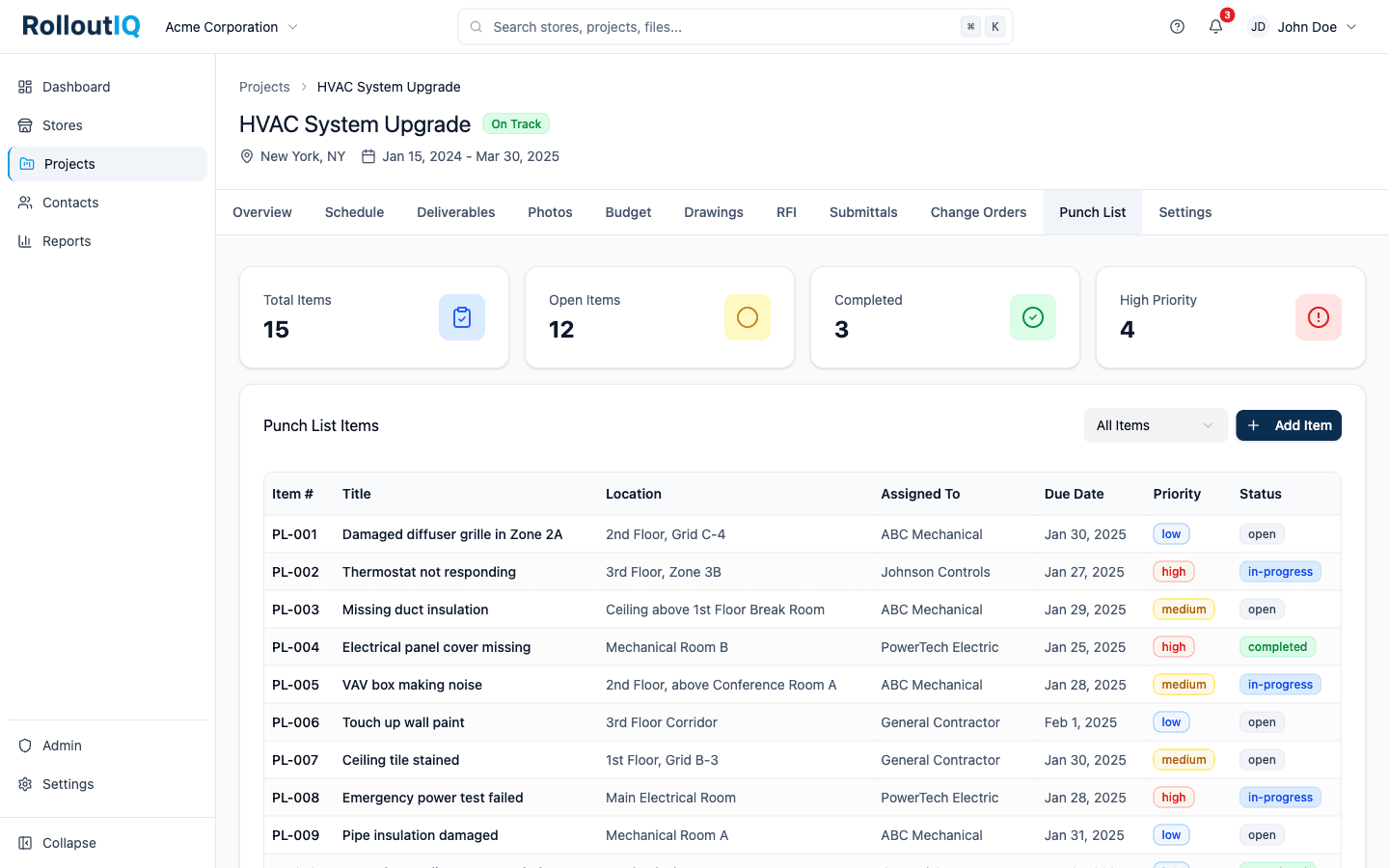
The Problem
Why Punch Breaks at Multisite Scale
Most operators run construction punch and the retail pre-opening walk in two different tools, capture every walk in a different format, and mark items done without anyone verifying the fix.
Construction Punch and Retail Walks Live in Two Tools
The GC and architect punch in a construction tool, while visual merchandising, operations, IT, and facilities each run a separate checklist or audit. Reconciling the two lives in email, and nobody sees the whole store on one list.
Vendors See Everything or Nothing
Sharing a punch log with the signage vendor and the millwork sub usually means exposing every vendor's items, or emailing PDFs back and forth. There is no safe middle that lets each vendor work only their own list.
Items Close Before They Are Verified
Without a verification step, an item gets marked done, the walk clears, and the defect reopens after the store is live. Criticals slip through because nothing holds the walk open until they are actually fixed.
What RolloutIQ™ Does
What RolloutIQ™ Does
RolloutIQ™ runs punch the way retailers actually walk a store: every walk in one backlog, captured on the floor plan, routed with vendor-safe visibility, and closed through a verification step.
Every Walk on the Project, One Backlog
A project can carry a GC pre-punch, a Substantial Completion walk, a back-punch, a pre-opening walk, and a 30-day warranty walk, each with its own participants and cadence. Templated checklists and ad-hoc defects share the same backlog, so you stop reconciling a construction punch against a retail audit by email.
Capture Three Ways, Mobile-First
Add an item from a template on the walk, ad-hoc as you find it, or by pinning the spot on the floor plan. On a phone, a bottom sheet opens the rear camera, a severity picker, and a save button, with no desktop round-trip.
A Floor Plan You Can Actually Use
Upload a floor plan or import a page straight from the Drawings module. Every item pins to it, colored by status, and clicking a pin reopens the item. Zoom, pan, and drag a pin to move it.
Verification Before an Item Closes
An item does not close until someone with verify authority signs it off, after reviewing the closure photo when the walk requires one. A walk can opt into vendor self-close when the situation calls for it, but the default stays safe.
Vendor-Safe by Default
External companies see only the items assigned to them or their company, never other vendors' items on the same project. Invite the signage vendor and the millwork sub into the same store without cross-leakage, and terminal items lock so the record holds.
Structured for Portfolio Patterns
Every item carries a trade, area, severity, and optional root cause. A recurring defect, like a specified door closer that fails at a share of new openings, becomes an observable pattern instead of a memory, and the data foundation for fixing it upstream.
Closeout Gating on Criticals
When the last critical item on a walk closes, the walk is eligible for completion. A walk with open criticals is blocked or flagged by your tenant setting, so no store clears its walk with an operational item still open.
Highlights
Inside a Punch Walk
Capture on the floor plan, work each item through a verified close, and see every item routed to you across every project.
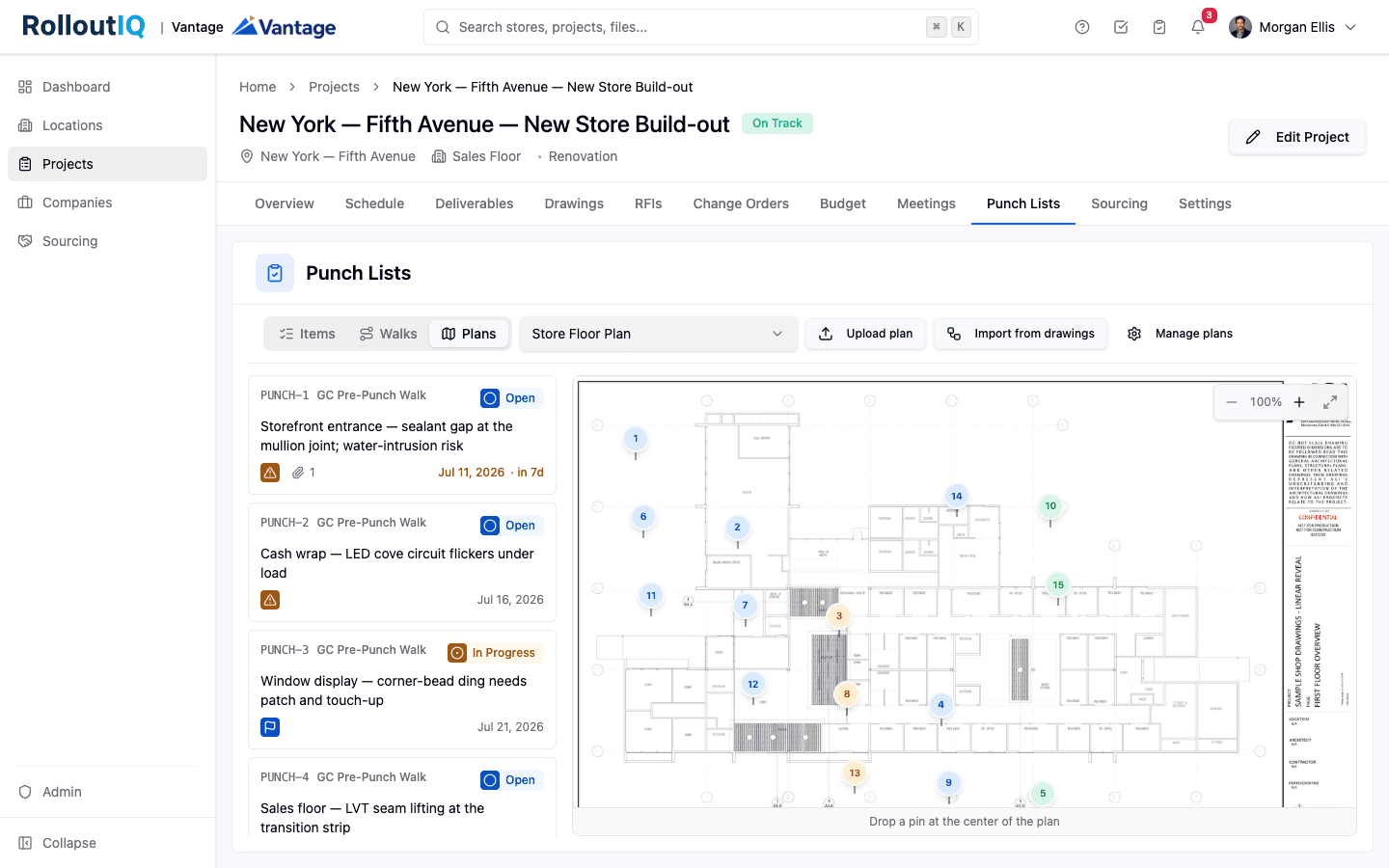
Pin every item to where it lives on the floor plan
Switch to the Plans view and every item sits on the store floor plan as a numbered pin colored by status. Tap a spot to create an item pre-pinned there, or click a pin to reopen it. The field walks the space, not a spreadsheet.
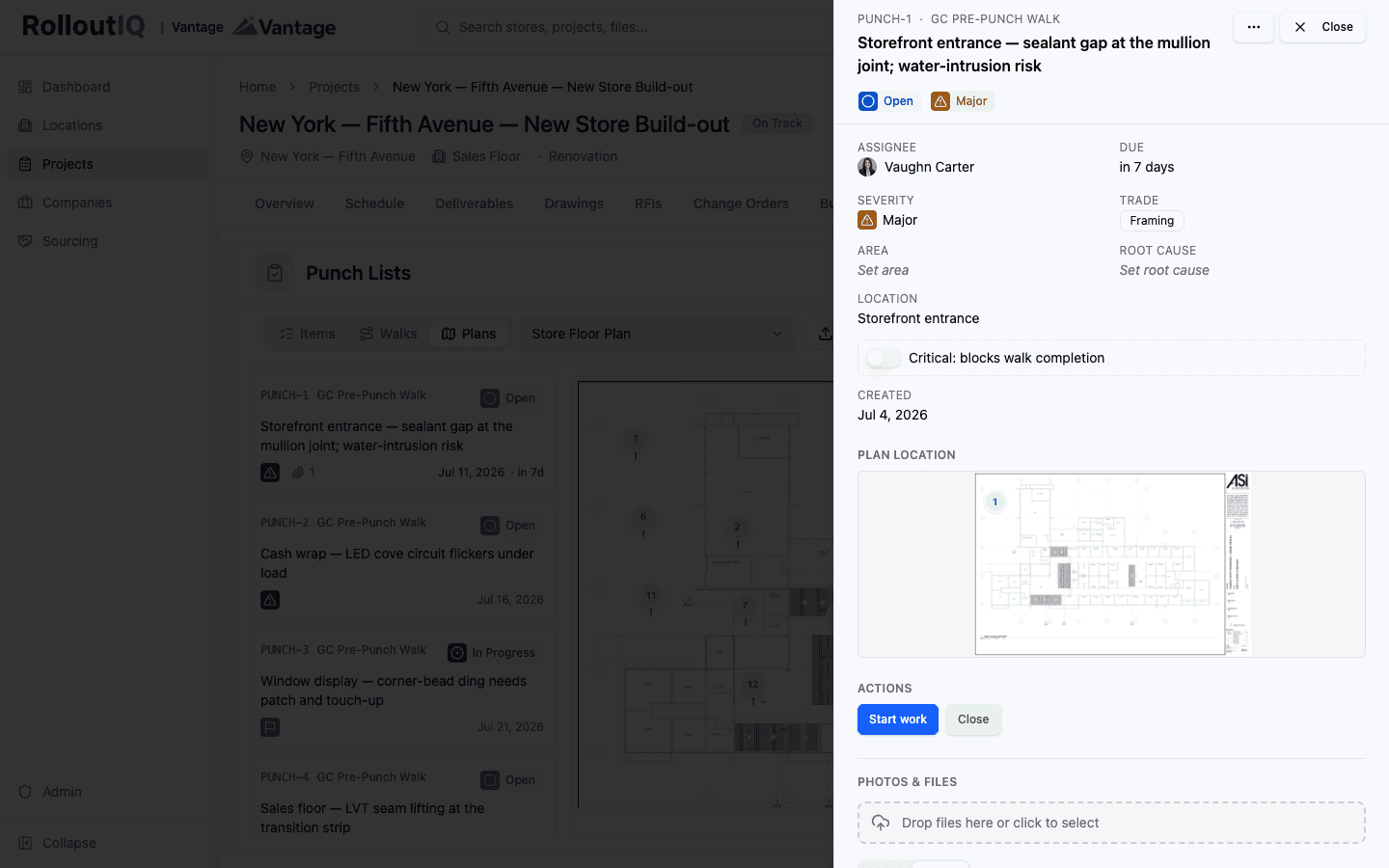
Structured, classified, and verified to close
Each item carries severity, trade, area, and root cause, its location, and a Critical toggle that blocks walk completion. Start work and Close move it through the workflow, and it does not reach Closed until a verifier signs it off.
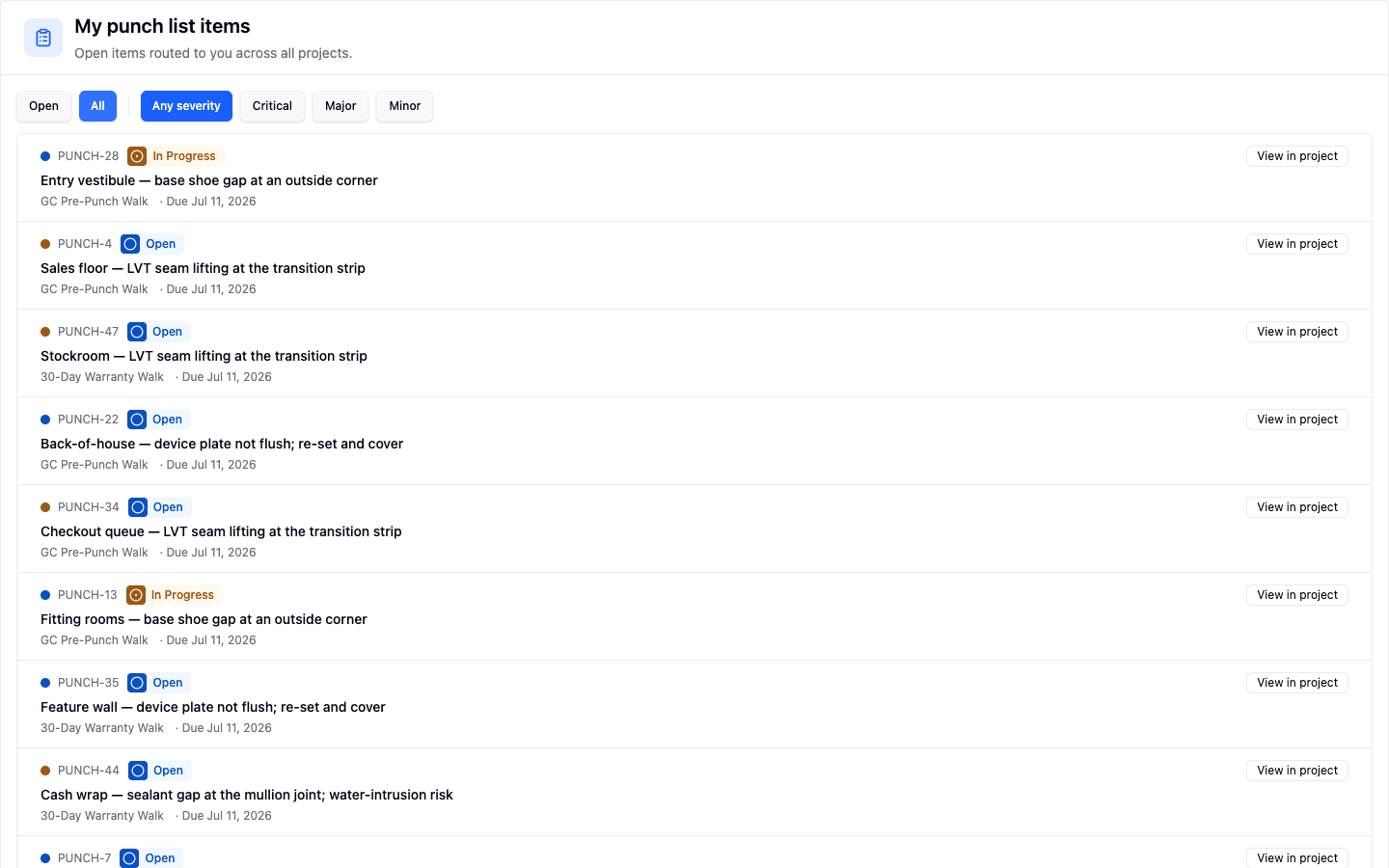
Every open item routed to you, across every project
The My punch list items page pulls every open item assigned to you into one queue, across every project and every walk type, with an Open or All toggle and a severity quick-filter. An approver or a vendor works one list instead of thirty tabs.
In Practice
How Multisite Teams Use It
Run the GC Punch and the Pre-Opening Walk in One Place
The construction punch and the visual-merchandising pre-opening checklist live on the same store, in the same backlog, on their own walks. The team stops reconciling two tools by email the week before opening.
Bring Vendors In Without Cross-Leakage
Invite the signage vendor and the millwork sub to the same project. Each sees only the items routed to them or their company, moves their own items forward, and uploads evidence, without ever seeing another vendor's list.
Turn a Recurring Defect Into a Fix
Structured trade, area, and root cause make a repeating defect visible across the portfolio. What was the same punch at every opening becomes a template or spec fix, caught before the next store is built.
For franchise groups
Closed out before the franchisor's inspection
When a franchise agreement ends construction with the franchisor's own inspection, run your punch walk first and verify each item closed, so the list is done before their inspector arrives.
See RolloutIQ for franchise groupsReady to Run Every Walk in One Backlog?
See how RolloutIQ™ runs construction punch and retail walks together, with floor-plan capture, vendor-safe visibility, and verified closeout. Book a demo with our team.