
Product Updates
What October's Releases Change for a Store Opening Team
October brought 22 web releases and the mobile app's launch in both app stores, most of it aimed at the field teams and project managers who build and open stores.
What shipped in October
Between October 1 and October 28 the web platform shipped 22 releases, and the app had two updates after its store launch. Six changes get their own section below, with the smaller ones listed at the end. The same roundup goes out as The Turnover Report, our monthly product email.
The mobile app is in the App Store and Google Play
The RolloutIQ app puts the project record on iPhone, iPad and Android, and it comes with every plan, so a field team has the same answers on site that the office has. People sign in with the account they already use on the web and see what their role allows.
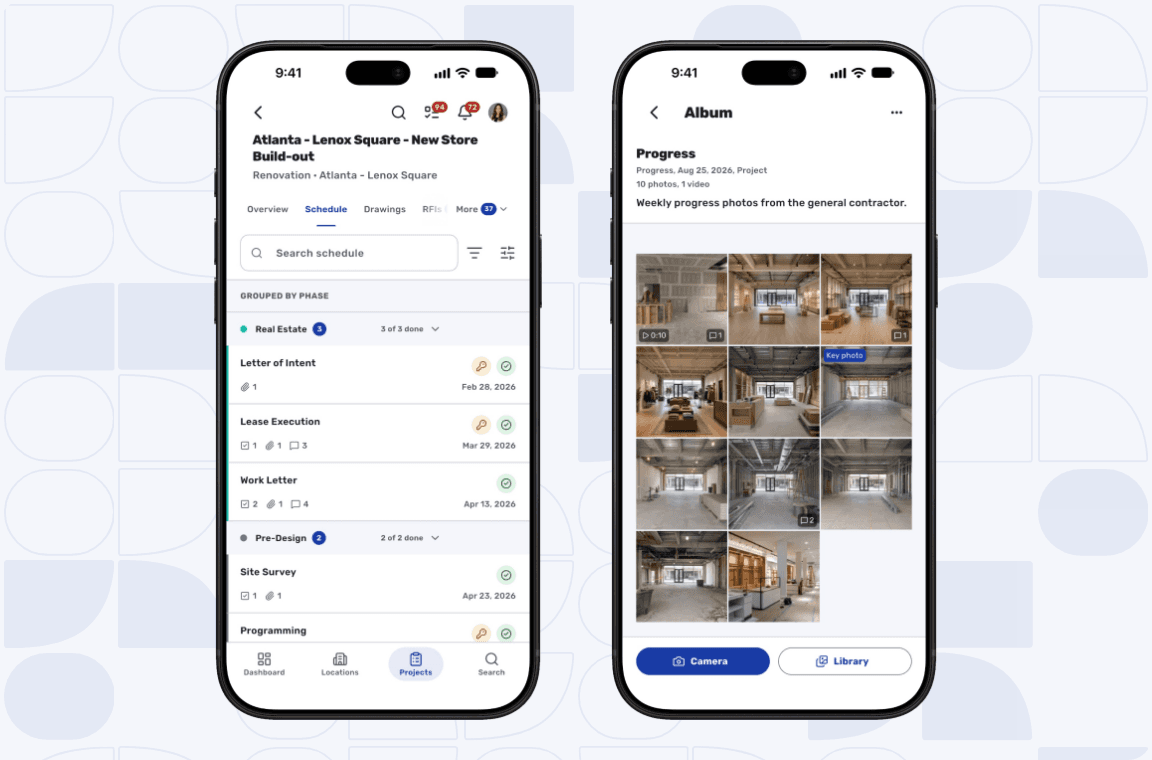
Most of what the two October updates added is about the schedule. On a phone it reads as a list grouped by phase, with each phase header counting how many items are done and how many are late. Open an item and one page shows its progress against plan, the forecast end, who owns it and what comes before and after it, and its tasks can be ticked off where you stand.
Someone walking a store can now @mention a teammate on an RFI, a submittal, a punch item or a photo album, and the comment lands on the record the office reads. Search works from any main screen. On the Dashboard, a count of the projects at risk sits beside what is overdue and due this week.
iPad and iPhone Duo get the wide layout
On an iPad or an Android tablet, lists open beside the record you pick. The project schedule becomes a Gantt chart with phase bars, dependency arrows and a line for today, and it can show the critical path and float.
iPhone Duo support came with the October 26 update. The app runs the phone layout on the outer screen until someone unfolds it, and then the inner screen switches to the tablet layout without losing your place. A superintendent can log a punch item on the outer screen in a back-of-house corridor, then unfold the phone in the site trailer to read the Gantt chart.
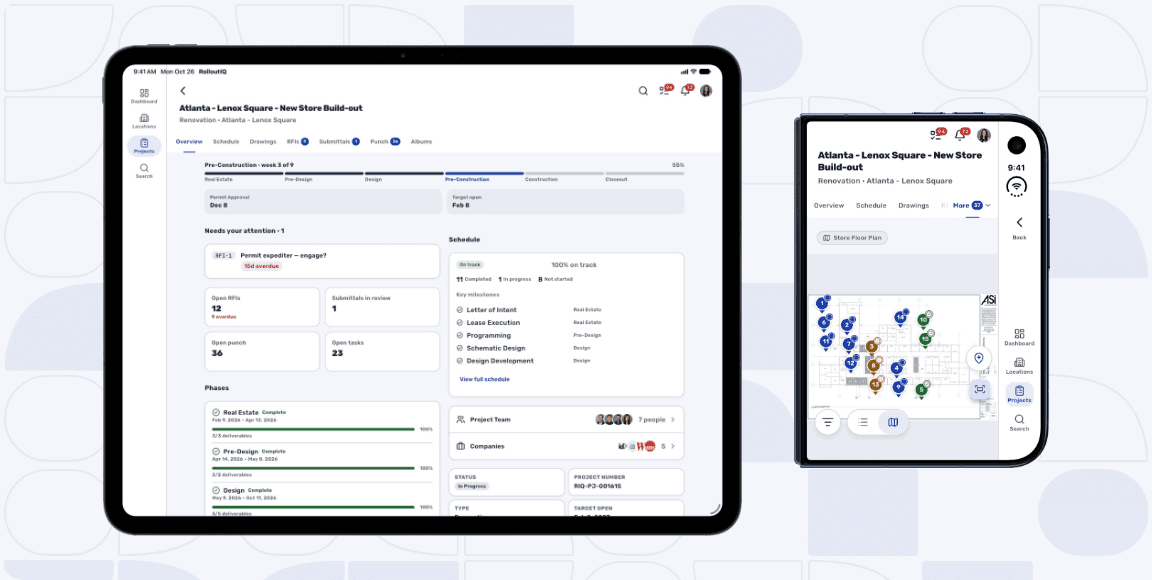
Photo albums on every project
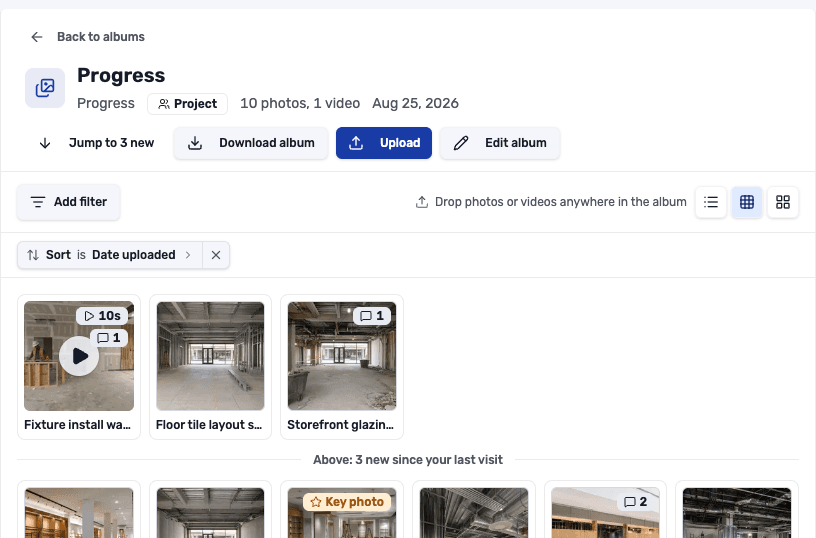
Site photos on most rollouts live on a superintendent's camera roll or inside a GC's weekly PDF. By the time anyone at the office looks, the capture date is gone. Photo albums give every project a place for them, typed as Progress, Site Visit or Marketing, and each album can be shared with the whole project team or kept inside your own company.
Photos sort by when the camera took them, so a week of progress reads in order even when the GC uploads all of it on Friday afternoon. The weekly review can start at the new photos, because albums mark what was added since your last visit.
RolloutIQ now plays iPhone clips in any modern browser, so a GC's walkthrough no longer arrives on the PM's laptop and refuses to play. Long walkthroughs upload reliably over a weak site connection. In the app, the camera shoots straight into an album at full quality, and the upload keeps going after the phone locks.
Status and schedule risk, tracked separately
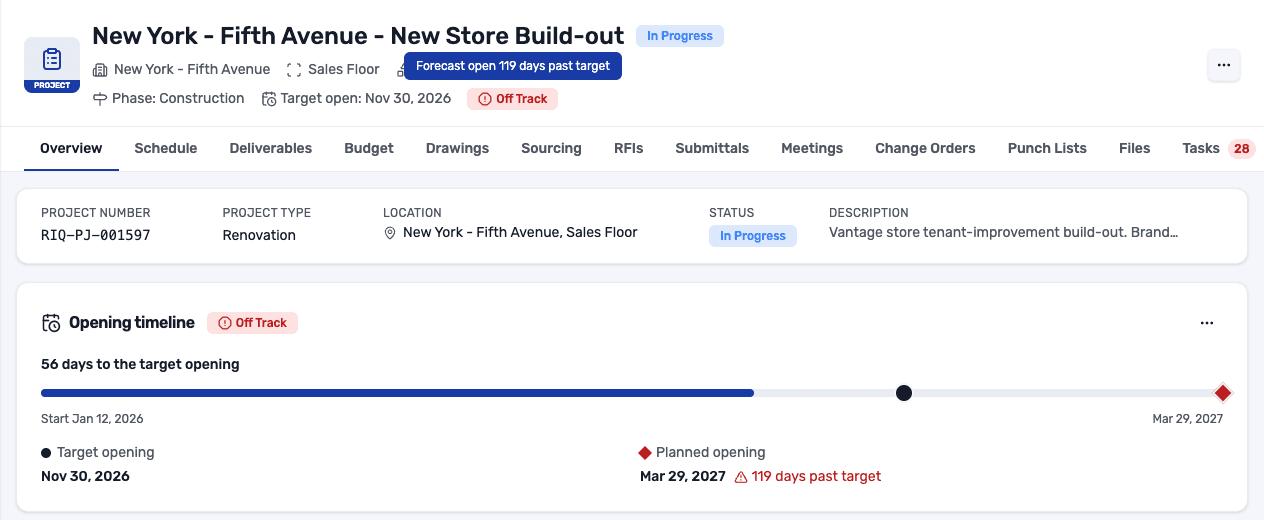
A typical rollout tracker carries two judgments in one dropdown. "Delayed" sits in the same list as "In Progress", and by the time leadership reads it nobody remembers who set it or why. In RolloutIQ, status follows the project's lifecycle and the schedule can move it or suggest the change, while schedule risk reads On Track, At Risk or Off Track and names its reason, such as a forecast open 119 days past target.
A PM who knows something the schedule does not can override the risk with a written reason, and when the computed risk gets worse, the project team gets an alert. Risk stays with your internal team, so general contractors and vendors see only the status.
Every project also carries a target opening, the date it committed to open. The Overview puts that target beside the planned opening from the schedule, with the gap in days, and moving the target takes a reason. In Reports, a Re-targeted openings section lists which openings moved and how far, with the most common reasons given, and the project management page has more.
Schedule exports and a place to keep them
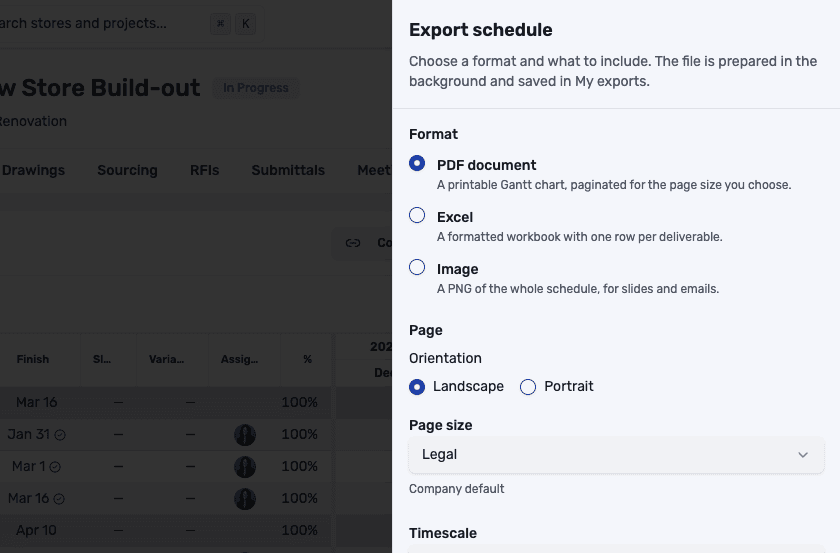
A project schedule now exports as a PDF Gantt chart, a PNG image for slides and email, or a formatted Excel workbook, so a landlord or capital committee gets the same schedule the team is running. PDFs and images carry your company logo in the footer and draw the dependency lines, with key milestones marked.
Everything you export is kept in one place. Any export can be rebuilt against today's data, so the schedule pack for a Monday owner meeting takes one click to refresh. Task, RFI, submittal and report tables export as formatted Excel files too, and so do Portfolio Explorer views.
A malware check on uploaded files
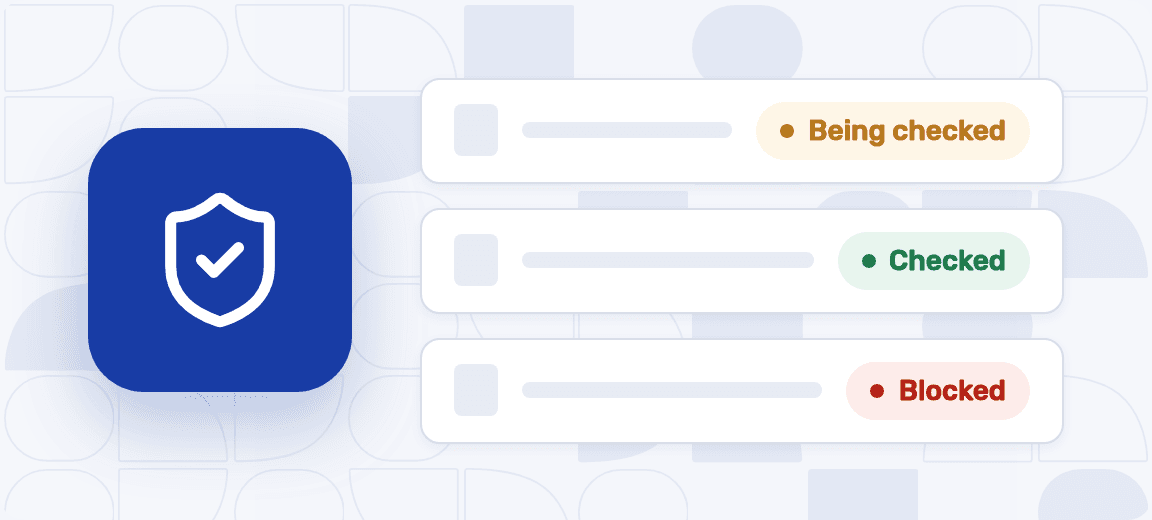
Since October 27, every file uploaded or imported into RolloutIQ is checked for malware in the background, on all plans. A store rollout passes files between dozens of outside companies, from an architect's drawing sets and a landlord's tenant criteria to a GC's pay applications and the closeout binder at the end of the job. Each upload shows up on its record straight away. Its preview appears once it passes, so the work on a project keeps moving while the check runs.
A file that fails is blocked, and nobody can open, share, export or download it. The person who uploaded it, anyone who downloaded it earlier and your admins are told what to do. For a security review, admins can export a record of every file that was held, blocked or released. The trust page explains how we protect customer data.
Smaller changes worth knowing about
These also shipped in October.
- Change orders can be cancelled, marked implemented or issued as a construction change directive.
- Recording an actual start or finish can shift the deliverables that follow, with a preview of what moves before you confirm.
- Deliverables planned to run well past their target length are flagged on the schedule, with a one-click reset.
- Finishing a deliverable notifies the people assigned to the work right after it.
- Approvers see the project and record they are signing for, along with earlier signers' comments.
- Budgets and change orders can now follow brand and region approval rules, the same way sourcing awards do.
- Onboarding a large Smartsheet takes one step to confirm every matched row.
- Overdue punch items arrive as one daily summary per person.
- Near me on the app's locations map shows the stores closest to you.
The Rollout
The Rollout, in your inbox
A founder's read on retail and multi-site store development. What the latest news means for your pipeline, and what we are building, every couple of weeks.

Written by
Nariman Shariat
Founder, RolloutIQ
Nariman has spent about 20 years opening stores, in the seat between the landlord, the architect, and the general contractor, across some of the largest retail and workplace fleets in the country. Along the way he built the internal platform that ran store development across a fleet, then rebuilt the same idea company after company. He founded RolloutIQ to give multi-site development teams the single source of truth he kept having to build by hand, and writes here about the work of opening and remodeling stores at scale.
More about NarimanKeep Reading
Related Articles
Continue exploring best practices for store development and construction management.
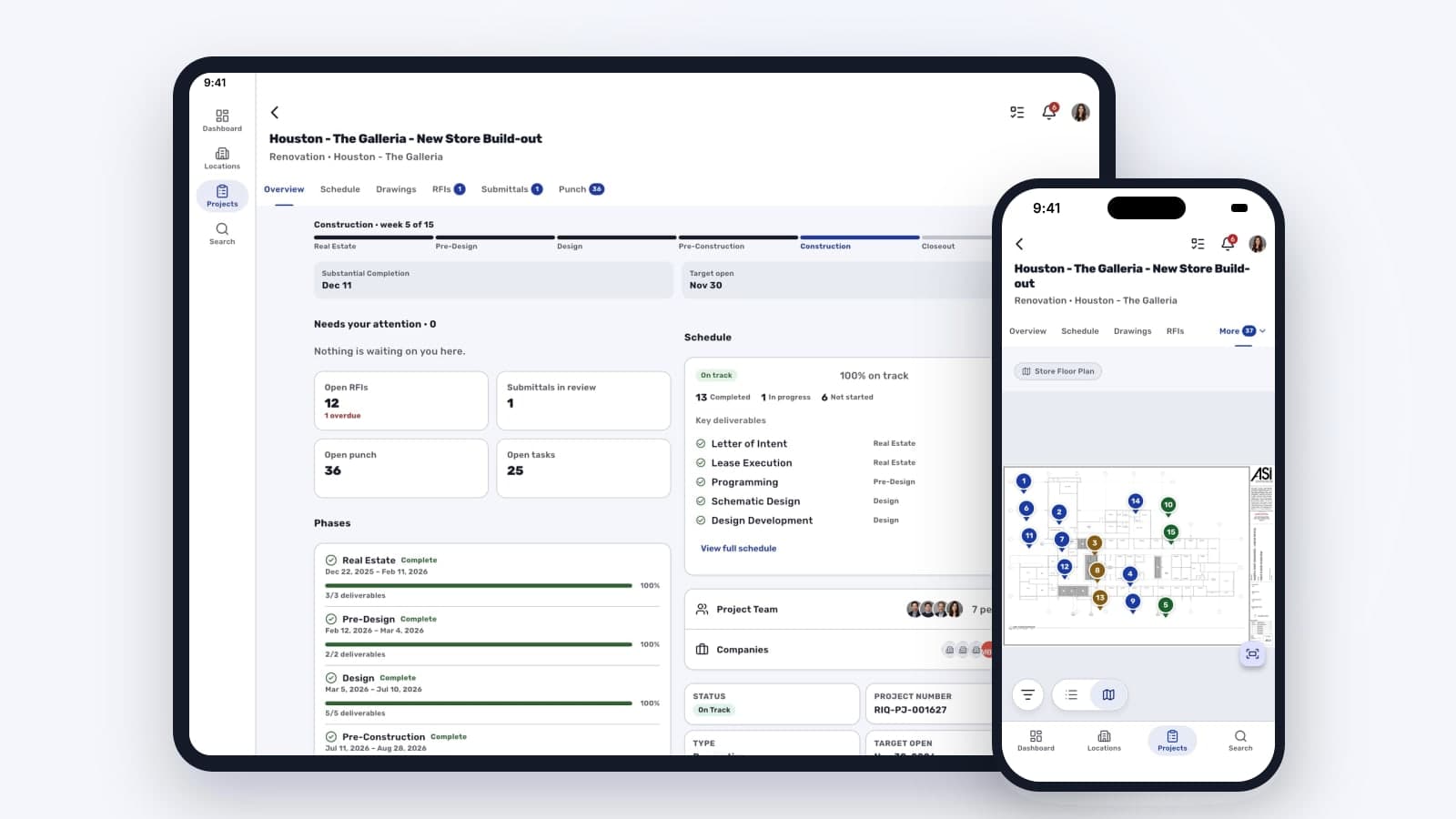
Taking the Rollout Record Onto the Site Walk
Store visits run on memory when the rollout record lives on a laptop. What changes when the build status and a punch walk pinned to the floor plan travel on the phone you carry into the store, along with the day's progress photos.
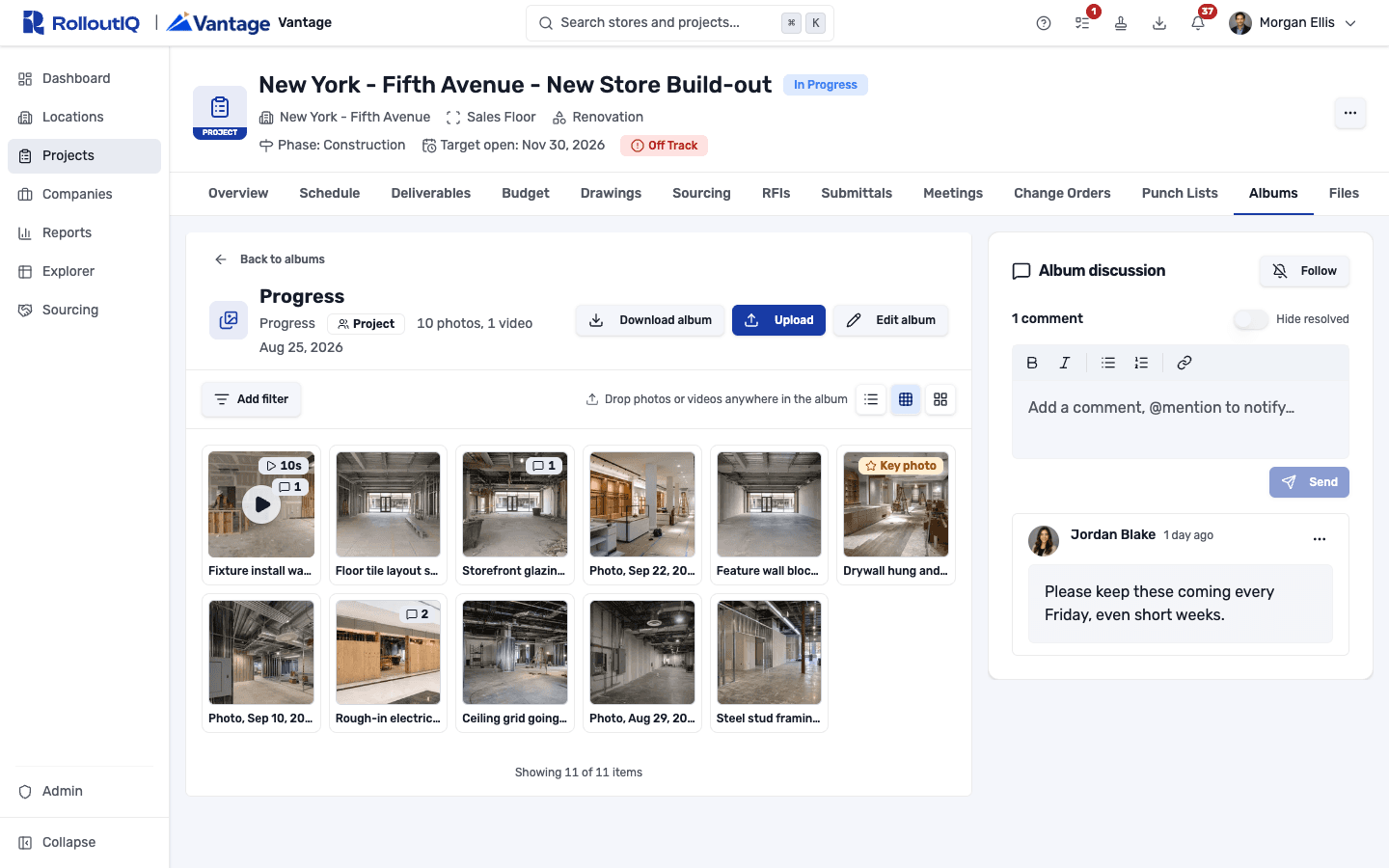
Reviewing Construction Progress Photos When You Can't Visit the Site
When you're running eight store builds at once, you see most of them through photos, and few of those photos ever reach the project record. Reviewing them well from a desk starts with keeping every shot on the project in the order it was taken, where anyone can ask about it.

The Weekly Status PDF Is Lying to Your Execs
The weekly status PDF reaches your leadership team looking authoritative, and it rests on data most people do not fully trust. A look at why executive reporting should be live and honest about what it cannot see.
Ready to Build Smarter?
See how RolloutIQ™ can streamline your retail and multi-site rollout program. Book a personalized demo with our team.