
Field Operations
Carrying the Rollout Record Into the Store
Most of a construction director's week happens in parking lots and half-built sales floors, a long way from the laptop that holds the schedule and the sheet set. A mobile app earns a place on the walk by doing a few specific things well, and the rest of the work can stay at the desk.
Most of the week happens away from the desk
A director of construction on a busy rollout might see four stores in a week. Every one of those visits starts in a parking lot with a phone in hand. The schedule, the open RFIs, the current sheet set and last Tuesday's punch list all sit in a system built for a laptop, so the visit runs on memory and on whatever someone forwarded that morning.
The small things slip first, as when a superintendent asks whether the revised millwork elevation went out and nobody standing at the cash wrap can say. A punch item gets written on a printed plan. Someone photographs it on a personal phone, and a coordinator who was not on the walk types it up two days later, by which point the photo lives in one place and the description in another. Across a program of 40 or 60 openings, the office spends part of every week reconciling field notes against the system.
PlanGrid and FMI's Construction Disconnected survey of nearly 600 construction leaders found that miscommunication and poor project data drive 48% of all rework on US jobsites. On a store build, that often looks like a superintendent working off a sheet the architect has already revised.
Why desk software travels badly
Most construction platforms were designed around a desk, and their phone experience tends to be the desktop squeezed onto a smaller screen. Tables scroll sideways, and a drawing opens as a PDF download you then have to find again in a files app. Field leads give up on it within a week or two and go back to texts and camera rolls.
Standalone field apps keep their own copy of the punch list or the daily log and sync it back to the main system on a timer or by export, so the office holds two records that disagree at the moment someone needs to trust one. Permissions often live in a second place too. A vendor either sees more in the field app than the owner meant to share or sees nothing until IT sets up another account.
On the walk you want the status of the build before you go in, the sheet you are standing in front of, a way to log a defect where it sits on the plan, and directions to the next store.
One record, sized for a phone and a tablet
The useful version of a field app opens the project the office runs, under the account and permissions people already have, with a layout built for one hand. RolloutIQ built its mobile app for iPhone, iPad and Android that way. People sign in to their company's existing workspace with the email and password they use on the web, and the phone shows exactly what their role allows, down to a vendor's field-level access. It needs iOS 15 or Android 7.0 or later, and it comes with every plan.
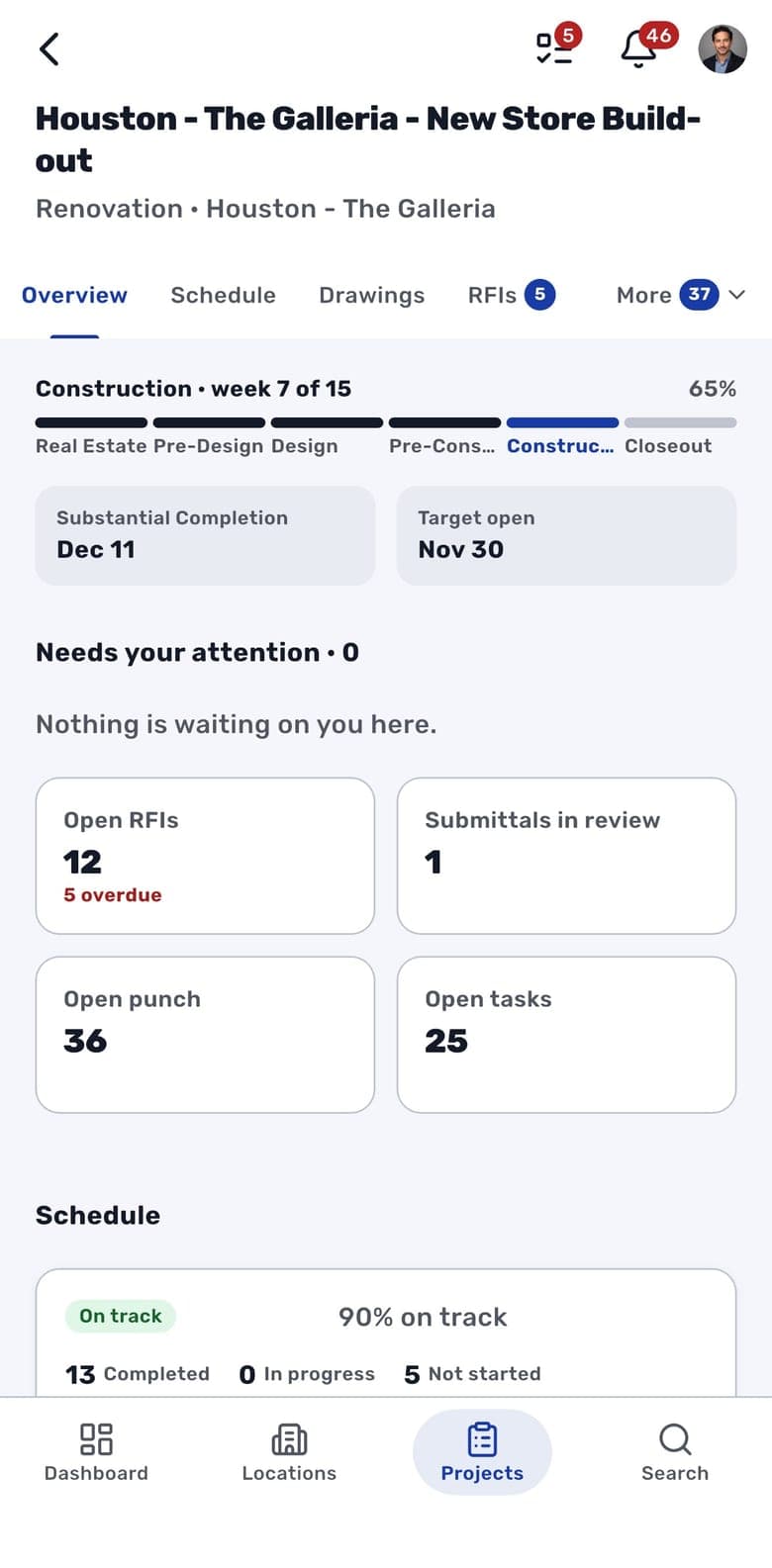
Each project opens on an Overview that tells you where the build stands before you walk in. A bar across the top splits the schedule into its phases and names the current one by week, "Construction, week 5 of 15" on the demo project below, with the share of the schedule complete beside it. The next key milestone and the target open date sit underneath. After that comes a short list of the RFIs and punch items assigned to you, soonest due first, then counts of open RFIs, submittals in review, open punch items and open tasks.
Following one store visit through the app
Start the day on the Locations map, filtered to your region. Every store with a mapped address shows as a pin, and Near me frames the stores closest to where you are parked. Tapping a pin opens its page with the store photo, brand, market and open date, plus each project running there and its target open date. Tap the address and Apple Maps, or your default maps app on Android, picks up the directions, which saves a call to the office for the suite number.
Once you are inside, Drawings holds the sheet set grouped by discipline, with the current revision listed under each sheet. Open one full screen and pinch in on the dimension you came to check. A strip of sheet numbers along the bottom of the viewer moves you to the next sheet without backing out to the list. Uploading and issuing sheets stays on the web, so the field always reads the set the office issued.
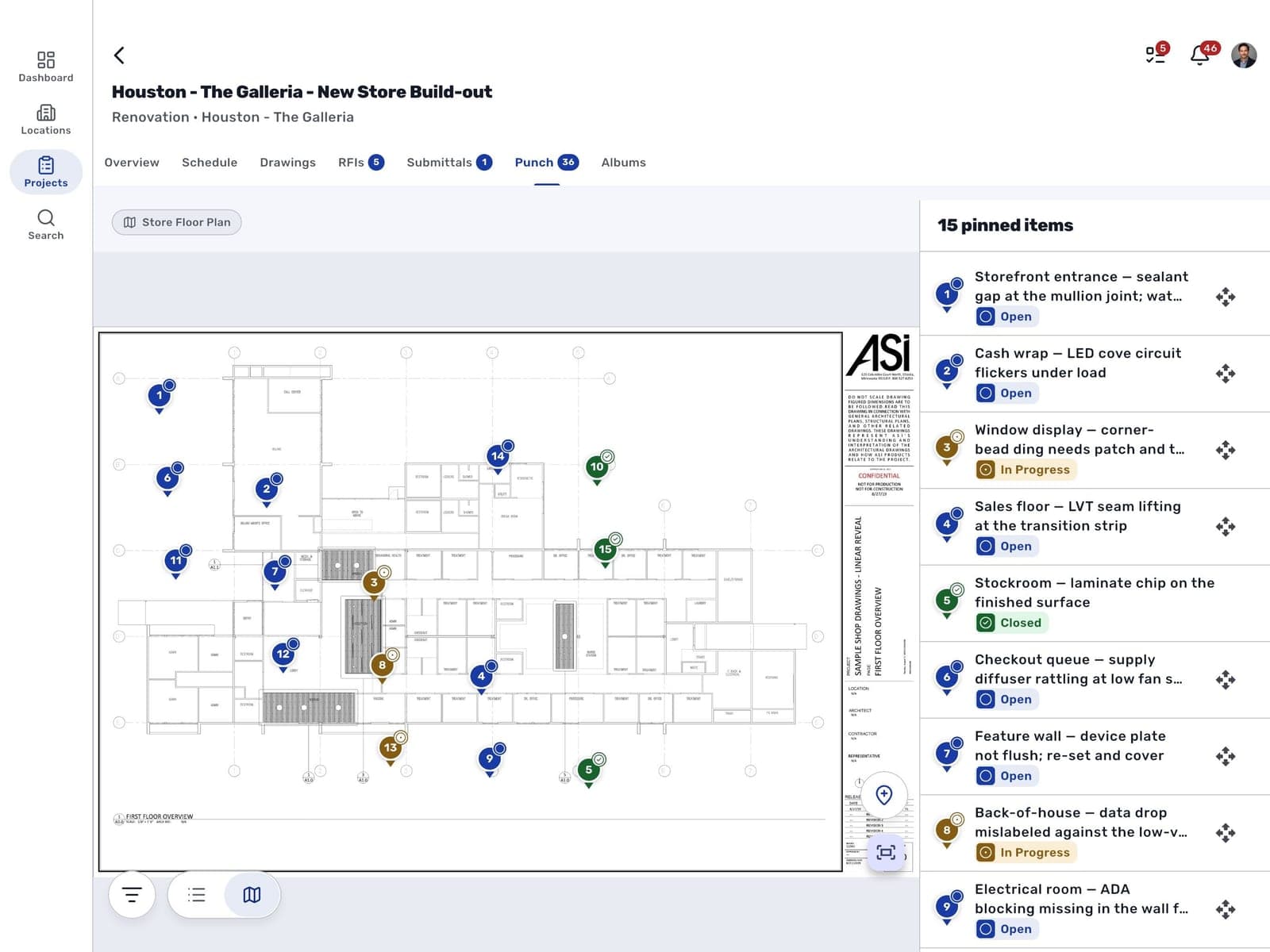
On the punch walk, switch the punch list to Plans and tap the floor plan where the problem is. A numbered pin drops on that spot and the form opens for severity, trade, area, assignee and due date, with photos straight from the camera. Pins take their status color. A superintendent opening the plan a week later sees what is still open without reading a description. From there each item moves through the workflow it follows on the web, from Start work to Ready for verification to Close, and the buttons only offer the steps your role is allowed to take. An iPad gives the floor plan the whole screen with a panel beside it listing every pinned item, and opening one shows its spot next to its details.
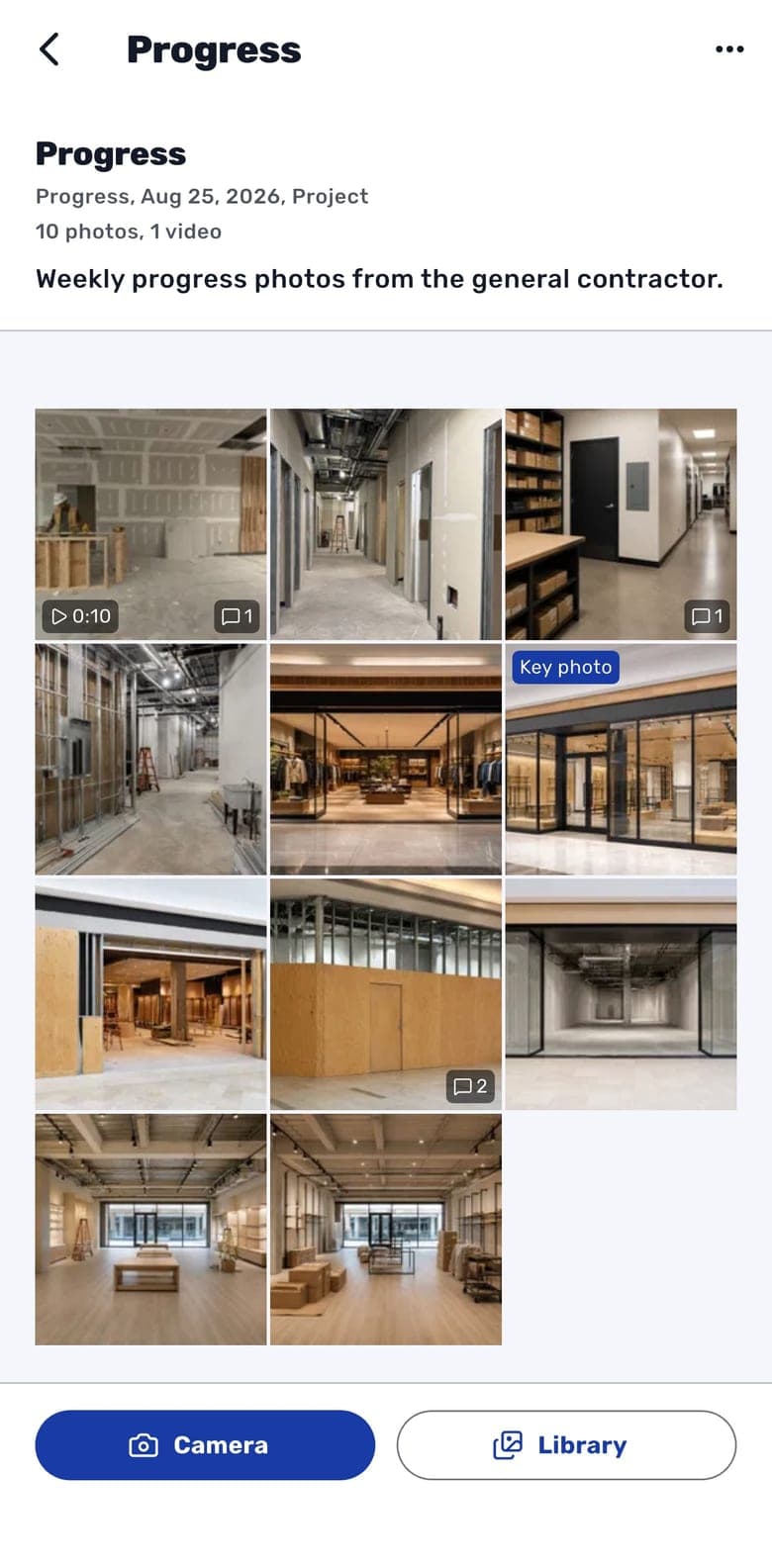
Progress photos tend to sit on the superintendent's camera roll until someone asks for them. In the app, each project has albums, typed as Progress, Site Visit and so on, and the camera button shoots photos and walkthrough videos straight into one. Photos picked from the camera roll go up as the original files with their capture time, and a photo taken in the app also records where it was taken if you allow location. Uploads keep running with the phone locked. Nobody has to stand in the parking lot while a 2-minute walkthrough video crawls up over a weak signal. That evening the PM opens the album to the shots that are new since their last visit and leaves a comment on the storefront header.
Photos from the walk, filed as you take them
The album sits on the project as one of its tabs, next to Drawings and the punch list, so the photos stay with the build they document. When a change order or a landlord dispute turns on what the storefront looked like on a given Tuesday, the PM can find that shot by date on the project.
The schedule review in the trailer
Phones show the schedule as a list grouped by phase. Each phase header says how many of its items are done and how many are late, and each row shows the end date, in red when it has slipped, along with counts of its open tasks, files and comments. Open an item and one page shows its progress against plan, its actual days against the target, the forecast end and who owns it, plus what comes before and after it. Its tasks can be ticked off or added right there, though edits to the schedule itself happen on the web.
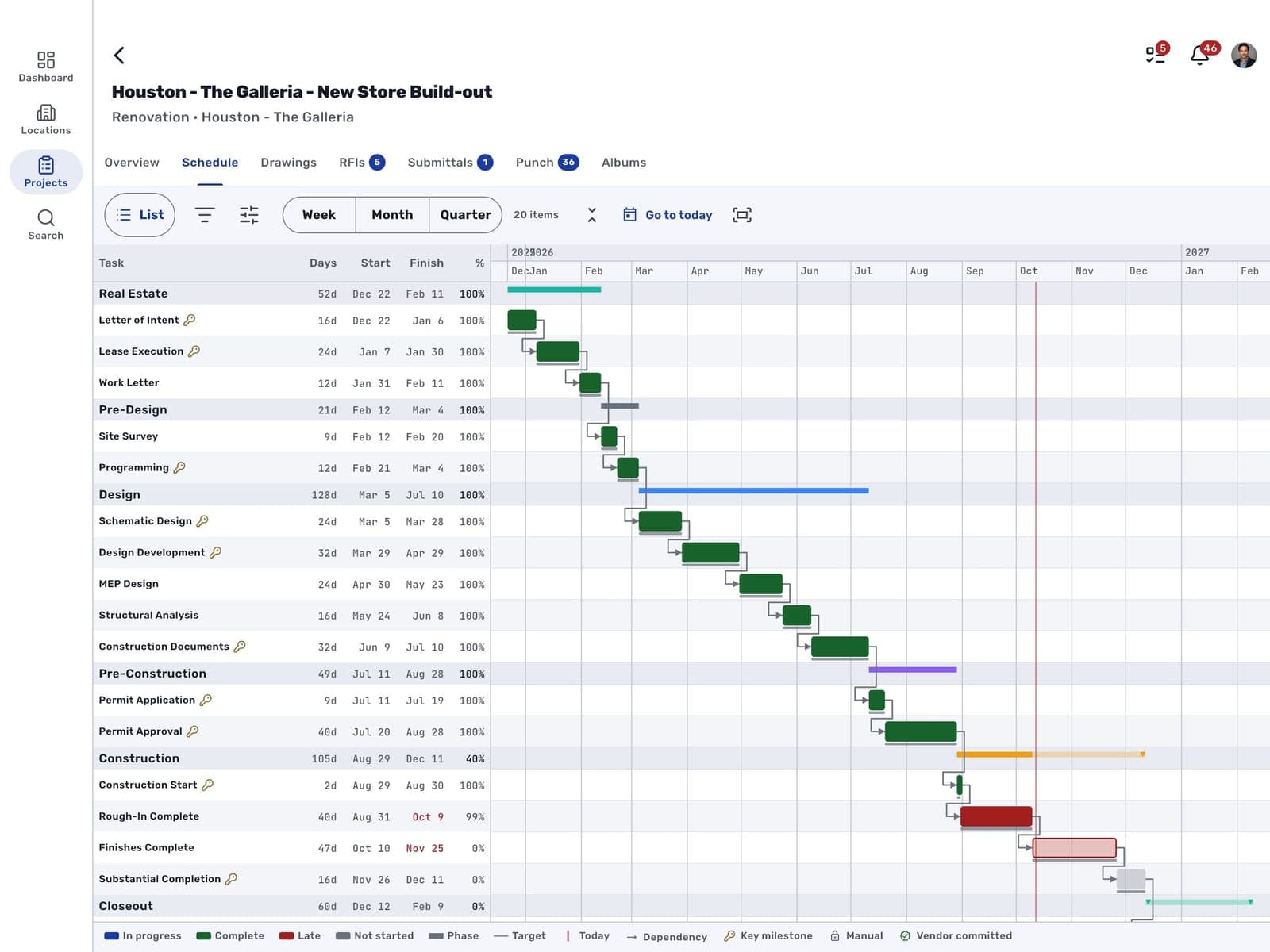
Turn a tablet to landscape and the same tab becomes a Gantt chart. Phase summary bars, dependency arrows and a line for today sit beside a table of each deliverable's days, start, finish and % complete. The scale switches between week, month and quarter, and View options turns on the critical path. Tapping a bar opens that item in a drawer beside the chart. Go to today and Collapse to phases bring a long schedule down to something you can talk through with a general contractor across a folding table, following an arrow from a late delivery to the work it holds up.
Questions to ask before a field team gets an app
Field teams decide within their first couple of walks whether an app is worth opening. These checks apply to any tool, including the one you already pay for.
- Does it sign in with the account people already have and show exactly what their role allows? A second login or a separate permission model usually means someone in IT maintaining vendor access in two places.
- Is the punch list in the app the same record the office reads? If it is a copy synced back later, plan on someone reconciling the two every week.
- Can the person standing in front of a defect log it on the floor plan, with a photo, before walking on?
- Do site photos land on the project as full-resolution originals with their capture time, or stay on someone's camera roll?
- Does the drawing viewer show the current revision, and is issuing new sheets limited to the people who own the set?
- Can a tablet show a layout of its own? A Gantt chart and a floor plan are the two screens where a tablet's extra width matters.
- Is it clear which work stays at the desk? In RolloutIQ, budgets, change orders, sourcing, meetings, portfolio reports and workspace setup run on the web platform.
Sources
The rework figure in this article comes from the following public source.
- PlanGrid and FMI, Construction Disconnected (2018), survey of nearly 600 construction leaders, via Construction Dive - https://www.constructiondive.com/news/industry-could-be-overspending-177b-per-year-study-finds/529450/
The Rollout
The Rollout, in your inbox
A founder's read on retail and multi-site store development. What the latest news means for your pipeline, and what we are building, every couple of weeks.

Written by
Nariman Shariat
Founder, RolloutIQ
Nariman has spent about 20 years opening stores, in the seat between the landlord, the architect, and the general contractor, across some of the largest retail and workplace fleets in the country. Along the way he built the internal platform that ran store development across a fleet, then rebuilt the same idea company after company. He founded RolloutIQ to give multi-site development teams the single source of truth he kept having to build by hand, and writes here about the work of opening and remodeling stores at scale.
More about NarimanKeep Reading
Related Articles
Continue exploring best practices for store development and construction management.
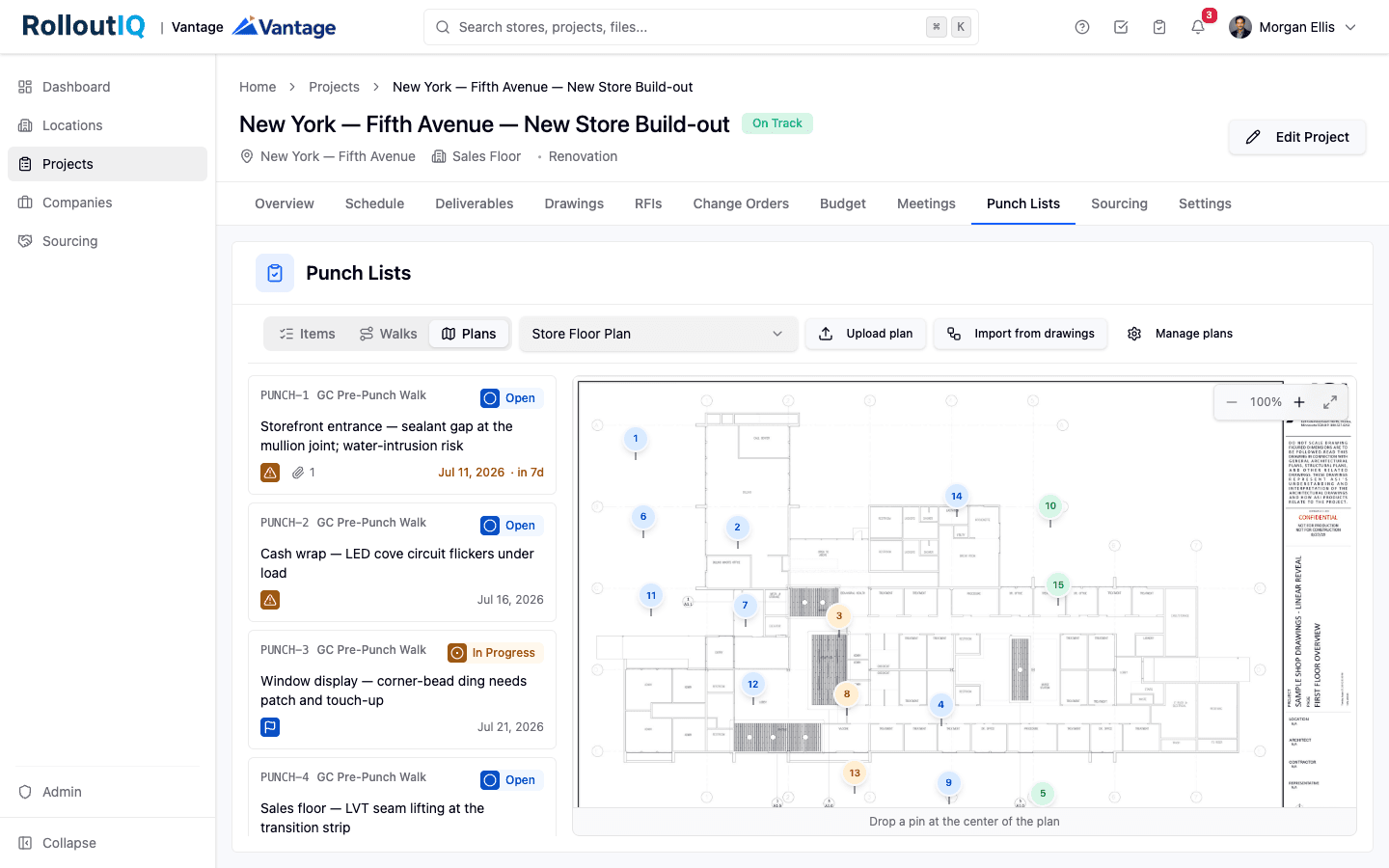
Punch List Management for Retail Rollouts: One Backlog for Every Walk
Retail store openings run a construction punch list and a separate pre-opening checklist in two different tools, reconciled by email. Here is how to put every walk in one backlog and verify each item before it closes.
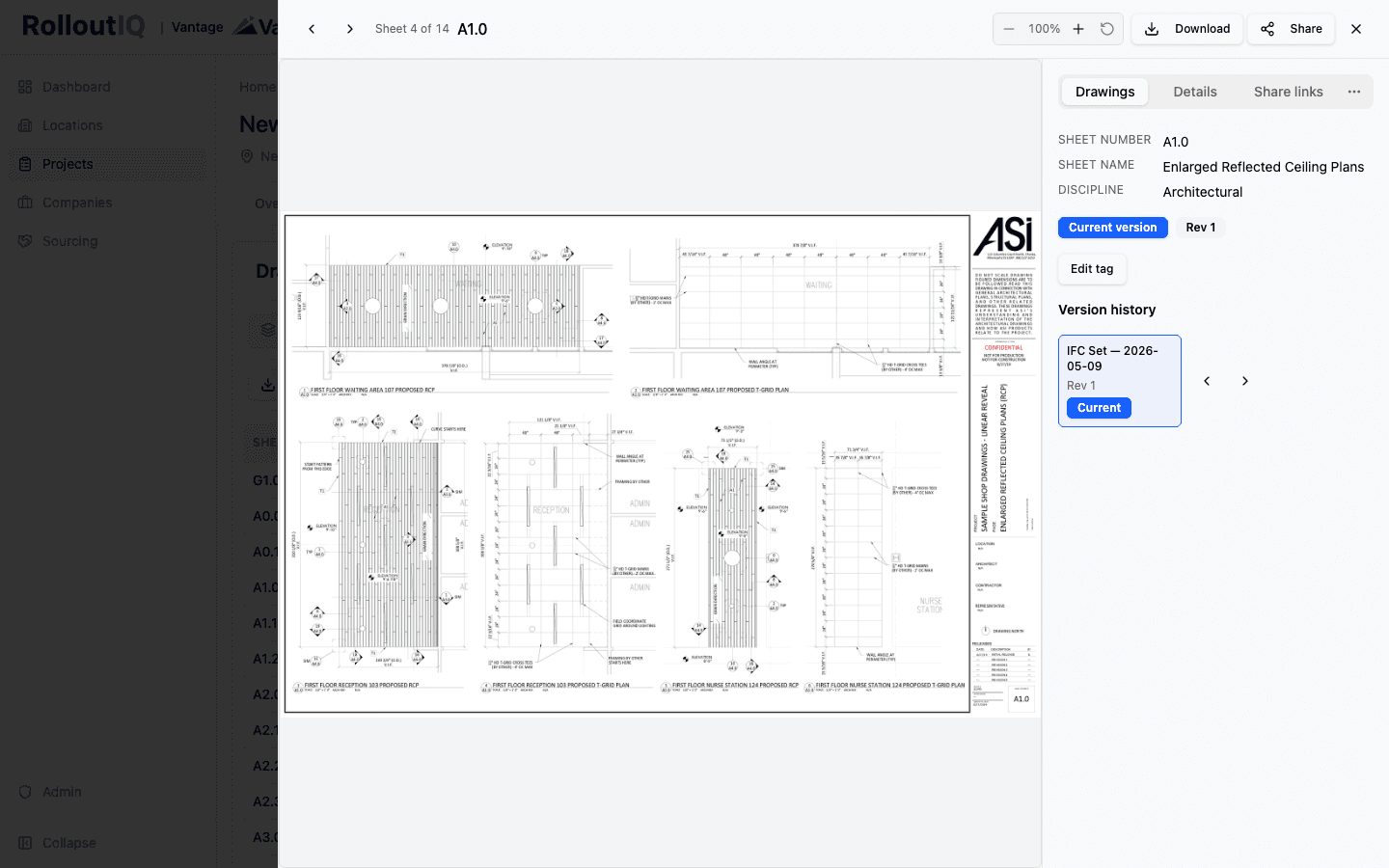
Current Drawing Set Version Control: Keeping the Field Off Stale Sheets
A drawing set is a versioned graph of sheets, not a single PDF. Filename-based storage is why stale sheets reach the field. Per-sheet version identity and automatic supersession on re-issuance keep everyone on the current set.
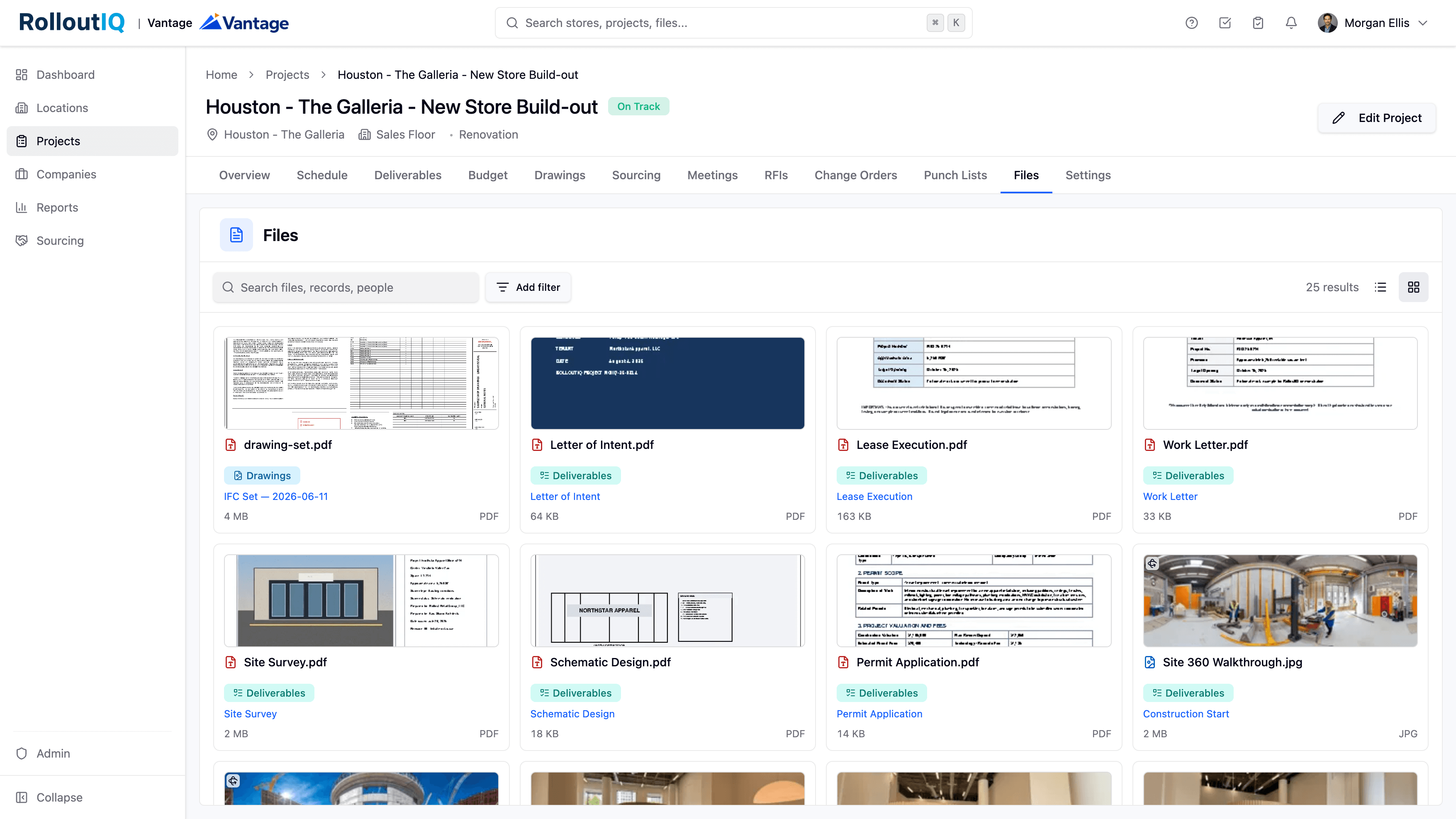
Field Photo Documentation at Multisite Scale
A retail buildout throws off thousands of photos before it opens, and across a portfolio the visual record goes missing exactly when a dispute, a warranty claim, or a closeout needs it. A file system that reads iPhone HEIC photos inline, opens 360 walkthroughs interactively, and shows every file as a scannable gallery keeps that record findable.
Ready to Build Smarter?
See how RolloutIQ™ can streamline your retail and multi-site rollout program. Book a personalized demo with our team.