
Notifications
Notifications That Take People Straight to the Work
Retail construction teams are distributed across office, field, and partners. The information they need to act on comes from RFIs, approvals, and the rest of the project record. RolloutIQ™ delivers each alert in-app and by email, with a link to the record and per-user preferences on what arrives where.
The Problem
Why Notification Strategies Fail in Construction
Notifications either fail to reach the people who need them, or flood everyone with everything until they tune them all out. Both extremes cost time and miss critical events.
Alerts With No Link to the Record
An alert that says something changed, without a way to the record, gets read and forgotten. By the time someone digs up the context, the crew has started the day on yesterday's plan.
Flooded Notifications Get Ignored
Send everyone every event and nobody pays attention to anything. The signals that should drive action drown in routine status noise.
Quiet Hours and Channel Preferences Get Ignored
A 2 a.m. alert for a routine schedule update is the fastest way to lose user trust. Without per-user preferences, the notification system trains users to silence it.
What RolloutIQ™ Does
What Notifications Should Do
RolloutIQ™ runs notifications with user preferences, priorities, and delivery tracking built in.
In-App and Email, Linked to the Record
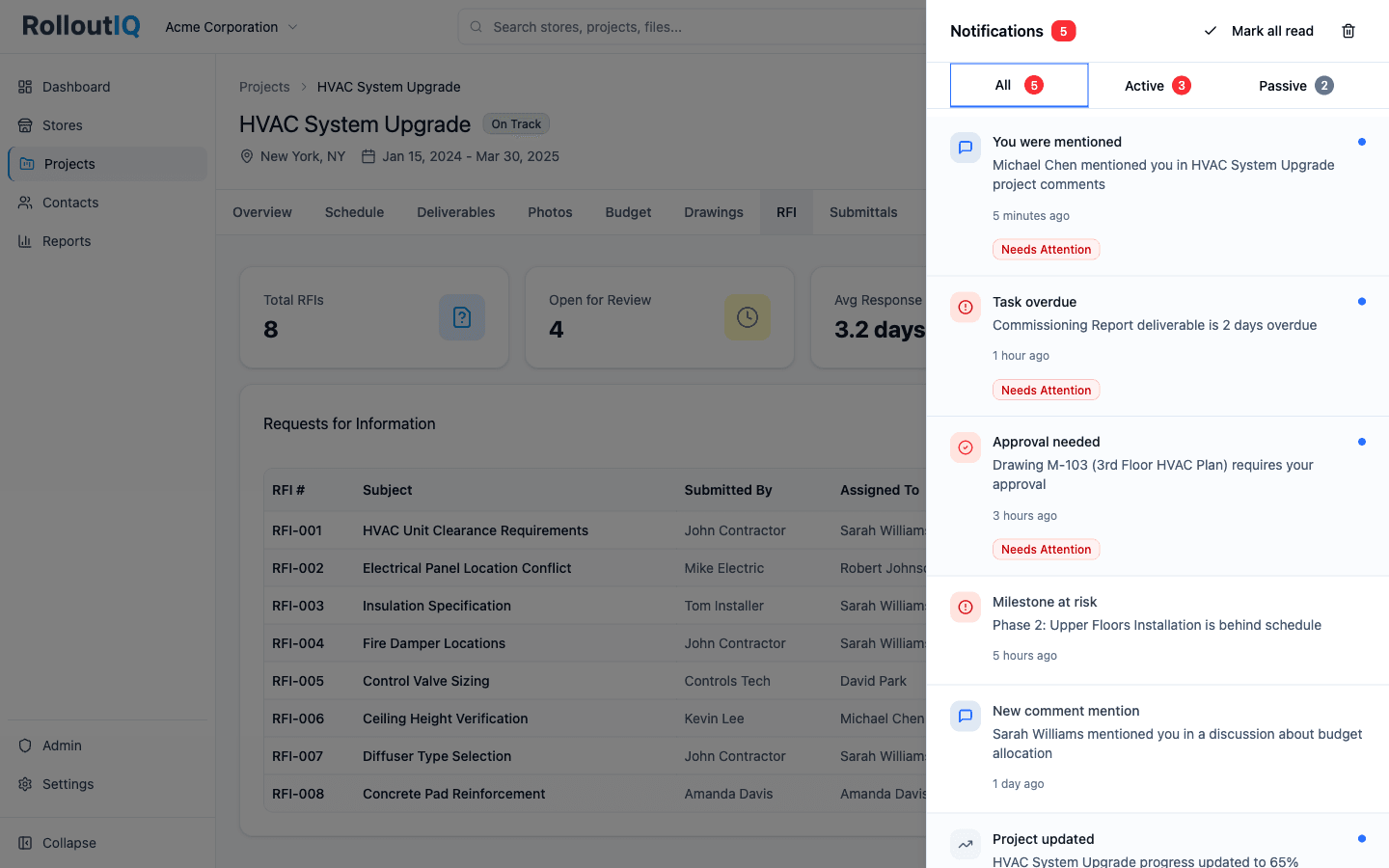
Every notification lands in the in-app drawer with a live unread count, and by email when the user wants it there. Both link to the record where the work happens. SMS, Slack, and push are on the roadmap.
Per-User Preferences
Each user decides, type by type, which notifications arrive in-app and which arrive by email. Security and system notices cannot be switched off.
Quiet Hours
Users set quiet hours, and non-urgent items hold until they end. Urgent items go through a high-priority queue and still reach the person.
Categories and Priorities
Notifications fall into categories such as RFIs, tasks, punch lists, change orders, and approvals, each with one of four priorities from Low to Urgent. Per-category rate limits keep a busy day from turning into a flood.
Weekly Task Digest
Users can switch to one weekly summary of open, due-this-week, and overdue tasks in place of a ping for every task event.
Delivery Audit Trail
Every send is logged as queued, sent, delivered, opened, clicked, bounced, or failed, so a dispute about who was told resolves against the record. Admins can retry a failed notification, and hard bounces are suppressed automatically.
In Practice
How Multisite Teams Use It
Answer an RFI From the Job Site
A superintendent opens the email on a phone and lands on the exact RFI or punch item waiting on them.
Stop Flooding Stakeholders
Per-user preferences and category routing mean each person gets only the notifications that concern them. Trust in the notification system stays high.
Coordinate Across Vendor Companies
Mention an architect, engineer, or GC superintendent in an RFI comment. They are notified in-app or by email, as they prefer, with the project context one click away.
Ready to Get the Right Signal to the Right Person?
See how RolloutIQ™ notifications reach distributed construction teams at the right priority. Book a demo with our team.