
Drawing Version Control
Keeping the Field on the Current Set
Wrong-version drawings on the job site drive rework, failed inspections, and brand-standard violations. The root cause is storing a drawing set as a file instead of as a set of versioned sheets. Per-sheet identity and automatic supersession fix it.
A drawing set is a versioned graph of sheets, not one PDF
Open a retail construction folder on any shared drive and you will find something that looks simple. One PDF named for the store, maybe a second named FINAL, maybe a third named FINAL-v2. The simplicity is an illusion. A drawing set is not a document. It is a versioned graph of sheets, each with its own identity and its own history, that gets re-issued repeatedly as a project moves from schematic design to permit set to issued for construction to as-built.
Research on retail store development puts the scale in perspective. A single new-store project generates 500 to 2,000 or more discrete documents across its lifecycle, held by 10 to 30 or more parties, and no single party holds the full set. The drawing set is the spine of that pile, and it is the artifact most likely to be wrong in someone's hands on any given day. When teams manage it as a file rather than as a set of sheets, the per-sheet identity that actually controls the work gets lost the moment a filename changes.

Why the field ends up on stale sheets
The reason wrong-version drawings reach the job site is that a set carries two independent kinds of state, and filename-based storage tracks neither reliably.
The first is the set issue. The whole set is snapshotted and released at a moment in time, labeled by purpose. Issued for Permit, Issued for Construction, Addendum 2, Bulletin 5, As-Built. The second is the sheet revision. Any individual sheet increments its own revision marker when it changes, and it may change in one issuance and carry over untouched in the next. A given sheet A-301 appears at multiple set issues, sometimes with a new revision triangle and sometimes identical to last time. Sheet revision answers the question the field actually cares about. Is this the latest version of itself?
Filename conventions cannot hold both axes at once. A file called A-301-FINAL.pdf tells you nothing about which set issue it belongs to or whether a later bulletin superseded it. So a superintendent prints what is in the folder, a subcontractor emails a sheet that was current three issuances ago, and an inspector is handed a permit set that no longer matches the field. The rework, the failed inspection, and the brand-standard violation all trace back to the same root cause. The field was working from a stale sheet and had no reliable way to know.
Per-sheet identity that survives re-issuance
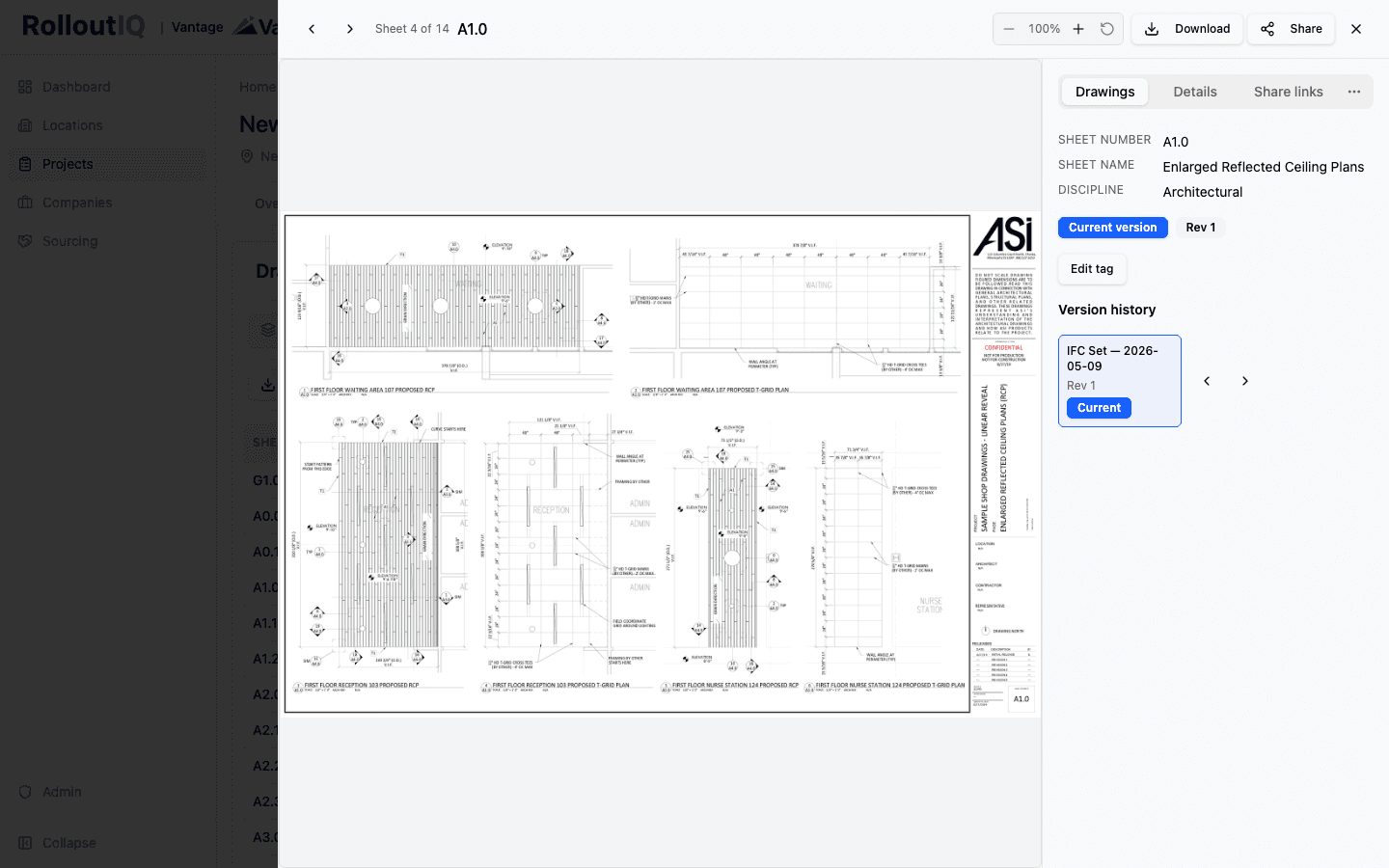
The fix starts by giving every sheet a durable identity that does not depend on a filename. In practice that identity is the pairing of the project and the sheet number. A-301 on this store is one logical sheet, and every issuance of it is a version of that same identity rather than a new file that happens to share a name.
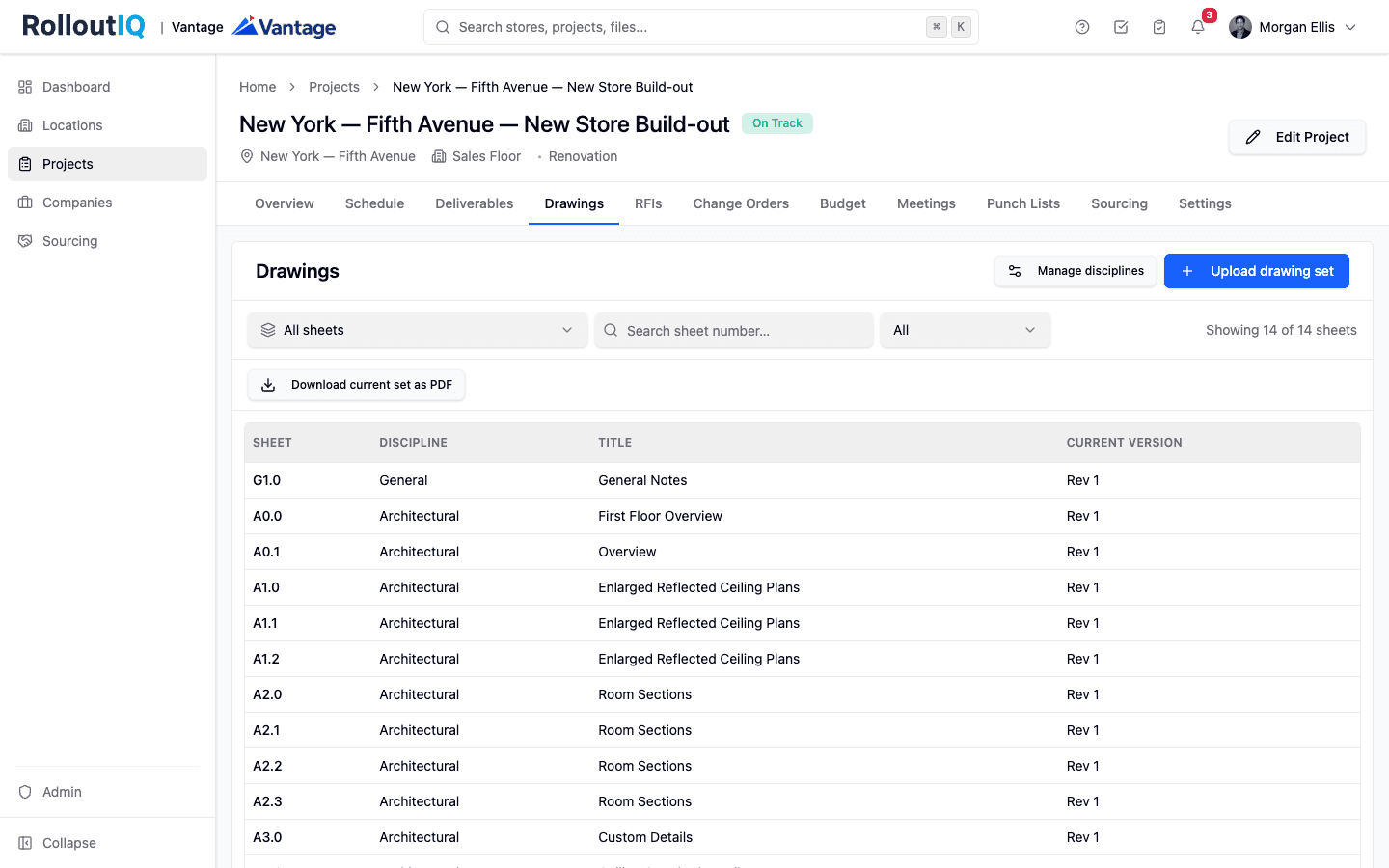
Reaching that identity means reading it off the drawing itself. When a multi-page set is uploaded, each page is split into its own sheet and its title block is read for sheet number, discipline, and title. Because retail prototype title blocks are heavily customized from brand to brand, no reader is perfect, and the realistic target is above 95 percent sheet-number accuracy on the first pass, with the remainder flagged for a quick human confirmation rather than silently guessed. A calibration step, where you draw a rectangle around the title block on one representative page and the system re-reads every page against that region, is what makes the reading dependable across a brand's recurring format.
Once identity is anchored to the sheet rather than the file, everything that points at a sheet stays pointed at it. A request for information pinned to A-301, a submittal, a punch-list location, all continue to reference the same logical sheet across issuances instead of breaking every time the architect re-issues.
Automatic supersession, matched by sheet number on publish
Durable identity is what makes supersession automatic. When a new issuance is published, each incoming sheet is matched by its sheet number against what the project already holds. Where a match exists, the new version takes the current slot and the prior version moves to history in the same motion. Nobody has to remember to delete the old A-301, rename it, or move it to an OLD subfolder, which are exactly the manual steps that fail under deadline pressure.
The superseded versions are not thrown away. Each sheet keeps a per-sheet version history showing every prior issuance, who uploaded it, and when. That history is what lets a project manager comparing a permit set against an issued-for-construction set see, sheet by sheet, which pages changed and which carried over. The current version is always unambiguous, and the audit trail behind it stays intact. This is the core of what a platform like RolloutIQ does differently from a shared drive. It treats the sheet as the unit of control, so current is a property the system maintains rather than a convention people are trusted to follow.
What a trustworthy current-set workflow looks like
A workflow that keeps the field off stale sheets shares a few structural traits. Use this as a checklist against whatever system holds your sets today.
- Every sheet has an identity tied to its number, not its filename, so renaming a file cannot detach it from its history.
- New issuances land in a private draft state where an admin confirms each sheet's number and discipline before anyone in the field sees them.
- On publish, re-issued sheets supersede their prior versions automatically, matched by sheet number, with the old version retained in history.
- Any sheet exposes its full version history, including who uploaded each issuance and when.
- Downstream references such as RFIs and punch-list pins stay attached to the logical sheet across re-issuances.
- The field can confirm it is looking at the current version without emailing to ask whether this is the latest A-301.
Compile the current set on demand
The payoff of maintaining current at the sheet level is that you can assemble it on demand. Instead of hunting through issuances to hand-build a clean set, one action compiles the current version of every sheet into a single PDF, ordered by the National CAD Standard discipline sequence, ready to email to a subcontractor or hand to an inspector.
That compiled set is trustworthy precisely because of the machinery underneath it. The sheets are current because supersession is automatic. The order is right because discipline sorting is applied consistently. The history is intact because superseded versions were retained rather than overwritten. The permit package and the field print are drawn from the same source of truth as the RFIs and the punch list, so they cannot drift apart.
Wrong-version drawings in the field are not a discipline problem to be solved with more reminders. They are a data-model problem. When a drawing set is stored as a versioned graph of sheets, each with a durable identity and automatic supersession on re-issuance, the current set stops being a question someone has to chase and becomes a state the system can always produce.
The Rollout
The Rollout, in your inbox
A founder's read on retail and multi-site store development. What the latest news means for your pipeline, and what we are building, every couple of weeks.

Written by
Nariman Shariat
Founder, RolloutIQ
Nariman has spent about 20 years opening stores, in the seat between the landlord, the architect, and the general contractor, across some of the largest retail and workplace fleets in the country. Along the way he built the internal platform that ran store development across a fleet, then rebuilt the same idea company after company. He founded RolloutIQ to give multi-site development teams the single source of truth he kept having to build by hand, and writes here about the work of opening and remodeling stores at scale.
More about NarimanKeep Reading
Related Articles
Continue exploring best practices for store development and construction management.
Taking the Rollout Record Onto the Site Walk
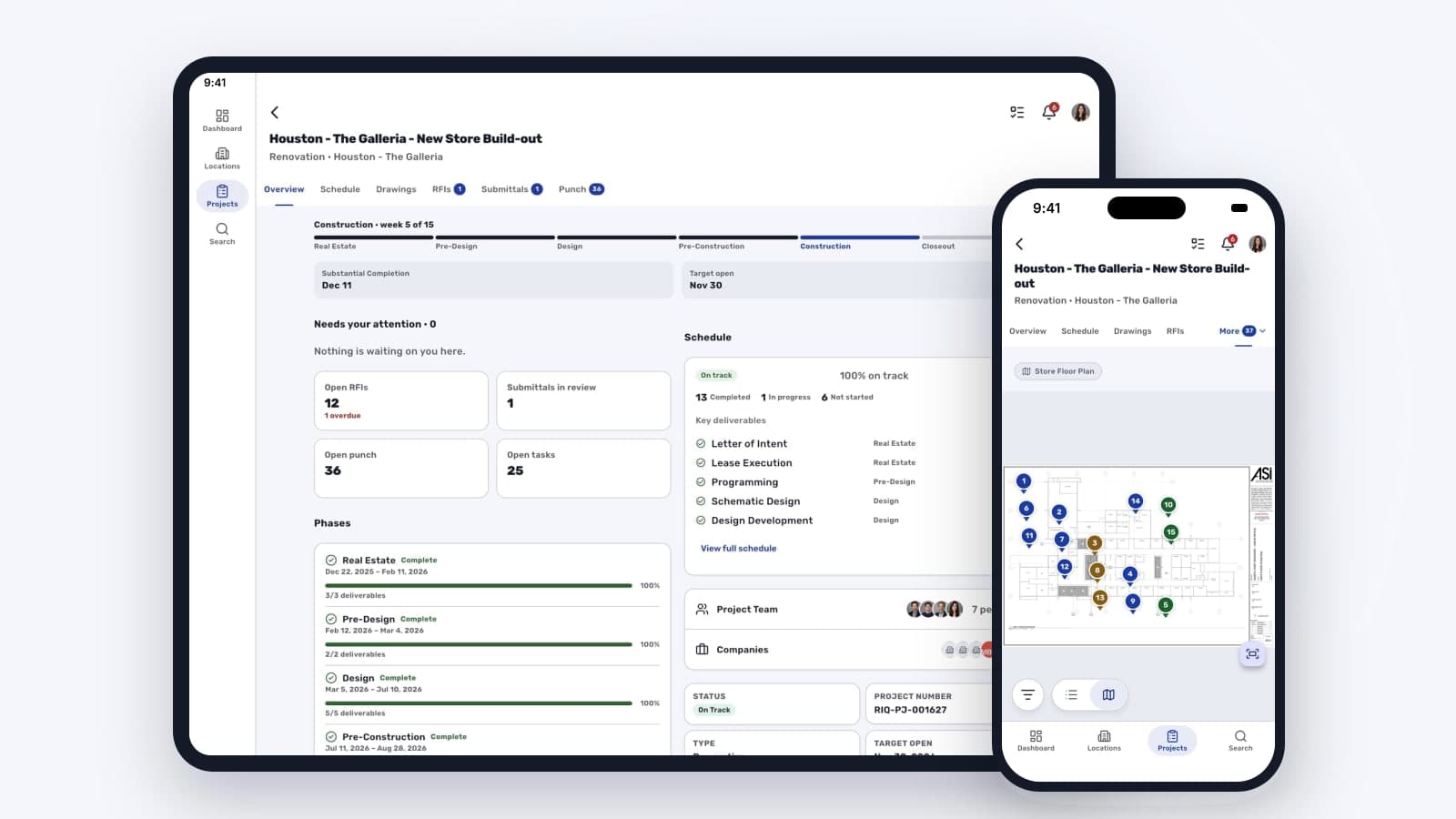
Store visits run on memory when the rollout record lives on a laptop. What changes when the build status and a punch walk pinned to the floor plan travel on the phone you carry into the store, along with the day's progress photos.
Why Drawing Management Breaks at Multisite Scale (and What to Look For in a Fix)
A retail drawing set is not a file. It is a versioned graph of sheets that re-issues across the project lifecycle. At multisite scale, generic document tools fail in predictable ways.
Document Management Best Practices for Construction Projects
Poor document management costs construction teams hours every week and creates real project risk. Here are the best practices for getting it right across your portfolio.

RFI Management Best Practices for Retail Construction
RFIs are inevitable. Slow RFI responses are not. Here's how high-performing retail construction teams turn RFIs from a delay risk into a managed workflow.
Ready to Build Smarter?
See how RolloutIQ™ can streamline your retail and multi-site rollout program. Book a personalized demo with our team.