
Locations & Spaces
One Canonical Register for Every Location You Operate
A Location is one operating site, a flagship, a restaurant, or a gym, and it sits at the top of the hierarchy. Underneath it is the Space, the physical real estate the location occupies, held as its own record so its address and square footage survive a relocation with the project history attached. Brand, open dates, and the projects on the books all roll up to the Location, and RolloutIQ™ reads the portfolio's lifecycle status from dates your team already keeps, so nobody maintains a status field by hand.
The Problem
Why the Location List Never Reconciles
Most operators keep the location list in more than one system, and the copies drift. When a VP asks how many of 600 sites are mid-remodel, the answer takes a week of cross-referencing.
One Location, Three Systems of Record
The real estate spreadsheet, the construction tracker, and the POS each hold a version of the location list, and none of them agree. Every portfolio question then starts with reconciling those copies by hand.
Status Is a Field Someone Forgets
When lifecycle stage is typed in by hand, a dead deal lingers in the pipeline and an opened location still reads as planned. Nothing recomputes, so the count is right only until the next stage change someone forgets to enter.
Relocations Erase the Real Estate History
Tools that fold the real estate, the operating location, and the construction project into one project record lose the through-line. Move to a larger space nearby and the prior premises and its projects evaporate.
What RolloutIQ™ Does
What the Location Register Does
RolloutIQ™ makes the location list canonical and holds the real estate beneath it as its own durable record. The portfolio view is computed, so the numbers stay honest without manual upkeep.
Canonical Location Register
One record per operating location, tagged with Brand, Region, and Market from a taxonomy you configure, so the rollups match how your business is organized. Each one gets an auto-generated reference number in the form RIQ-LO-000001, unique across your portfolio.
Lifecycle Status Computed From Dates
Planning, Upcoming, Open, and Closed are derived from the open and close dates on the record, not typed in. Enter an open date three months out and the location reads Upcoming today and flips to Open on the day, with nobody touching a field.
Cancel a Dead Deal, Reinstate If It Comes Back
When a planned location's deal collapses, cancel it and it drops out of the default list and the pipeline counts, with who cancelled it and when kept in the audit trail. If the deal revives, one click reinstates the location to whatever its dates imply.
Real Estate as Its Own Durable Record
Each Space is the physical premises a location occupies, sitting under the Location and above its Projects, with a Space Type from your tenant catalog, an optional address and square footage, and a rollup of total and active projects. Renovate in place and a new project attaches to the same Space; relocate and a new Space comes online under the same location, both histories intact.
Table and Map on One Set of Filters
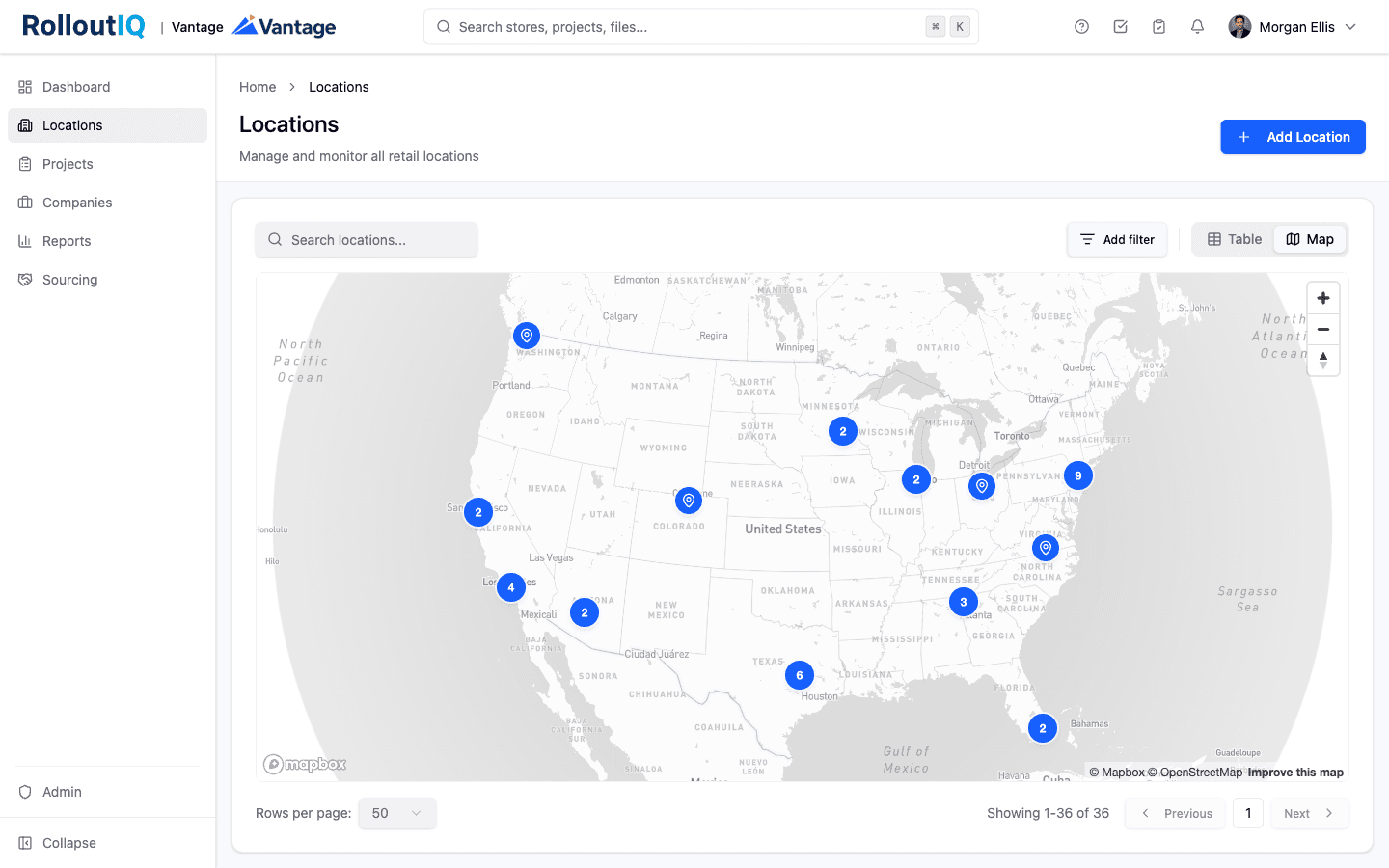
Flip between a sortable table and a geographic pin view without losing your place. Multi-select filters on Brand, Region, Market, and Status narrow both, full-text search matches name, code, and address, and summary cards across the top count the portfolio by lifecycle stage.
Guarded Delete That Protects History
A location or a Space with any project attached cannot be deleted by accident. RolloutIQ™ names what is in the way and points you at cancelling or setting a close date instead, so a piece of real estate never loses its project record to a stray click.
Per-Location Visibility for Outside Partners
An external general contractor sees only the locations their company has been assigned to, with the same location-level context an internal user gets. Add a vendor to a project and their access is scoped to that location, no broader.
Highlights
Inside the Location Register
The same filters drive the list and the map, and every location opens onto its real estate, the projects on it, and the team.
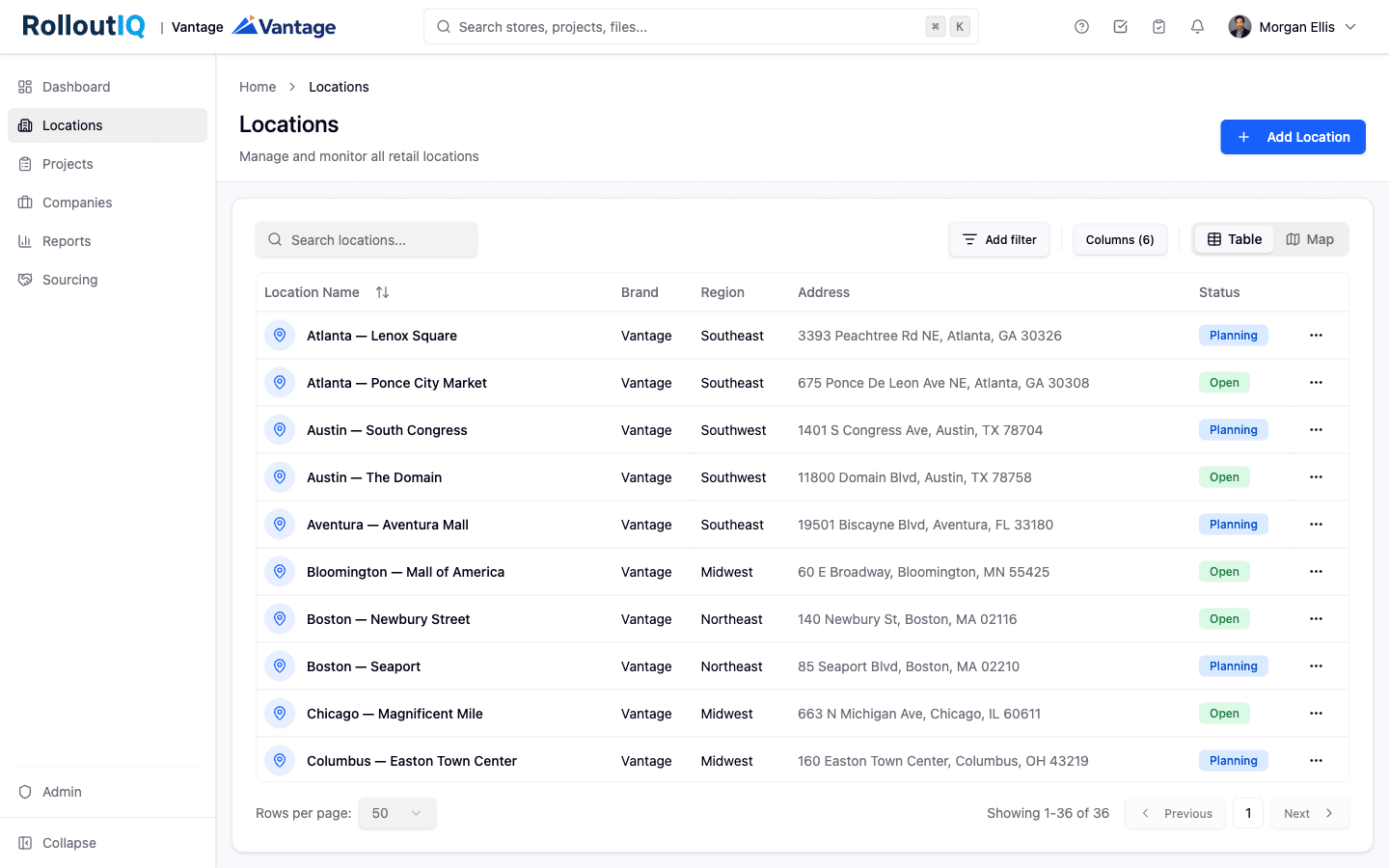
Every location on one filterable, sortable list
The table opens with summary cards counting the portfolio by lifecycle stage, then lists each location with its brand, region, address, and computed status. Filter by Brand, Region, Market, or Status, search across name, code, and address, and sort the Status column by lifecycle progression rather than alphabetically.
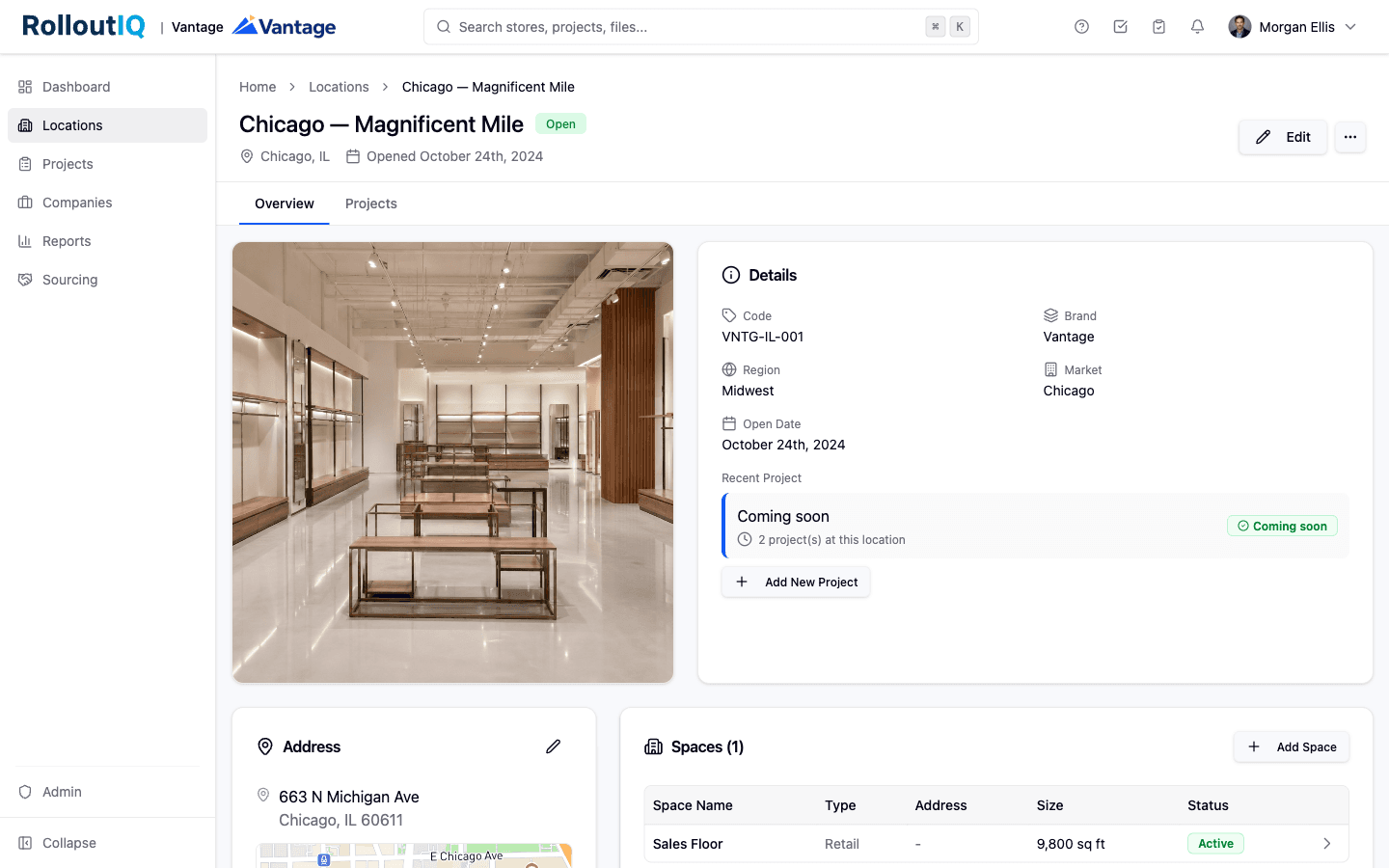
One location, its real estate, and its projects in one place
A location's detail page carries a facade photo, its brand, region, market, and key dates, and the address on a mini-map. The Spaces table shows the real estate the location occupies with type and square footage, and the project rollup counts what is running, so the construction picture and the location record sit together.
In Practice
How Multisite Teams Use It
Answer Portfolio Questions Without a Reconciliation Pass
Filter to a brand and market, flip to the map, and read the lifecycle breakdown off the summary cards. How many locations are opening this quarter and how many are still in planning takes a glance instead of a week of cross-referencing three systems.
Keep the History When a Location Relocates
Move a location to a larger space nearby and the old Space retires while the new one comes online under the same Location. The projects that ran in the prior premises stay attached to it, so the real estate record reads as a continuous story.
Give a Contractor Their Locations and Nothing Else
Assign an outside GC to the locations they build and they see those and only those, with the context they need to work. No exposure to the rest of the portfolio, and access falls away when the assignment ends.
For franchise groups
Committed sites in the register from day one
Add a location the day a site is committed, before it has an address, and tag it with its brand. If the deal falls through, cancel the location and it drops out of the pipeline counts until you reinstate it.
See RolloutIQ for franchise groupsFAQ
Locations & Spaces FAQ
A location register is the canonical list of every operating site in a portfolio, with each location's brand, region, market, address, and key dates in one record. In RolloutIQ™ every operating site is a Location, tagged from a taxonomy you configure and given an auto-generated reference number, so the portfolio rolls up the way your business is organized instead of the way a generic tool guessed.
A Location is the operating site and the top of the hierarchy. A Space is the physical real estate that location occupies, held as its own record underneath the Location and above the construction projects. Keeping them separate means a relocation retires one Space and opens another under the same location, with each Space's project history intact.
Status is computed from the open and close dates on each location: Planning when neither is set, Upcoming before the open date, Open once that date arrives, and Closed after the close date. The one manual override is Cancelled, for a planned location whose deal died, which drops it out of the pipeline counts and is reversible with a one-click reinstate.
Ready to Put Every Location in One Register?
See how RolloutIQ™ keeps your portfolio of locations and the real estate underneath each one in one canonical record that survives relocations and renovations. Book a demo with our team.