
Document Management
Every Project Document, In One Searchable, Trustworthy Place
Retail construction projects generate 500 to 2,000 documents each. Contracts, specs, inspection reports, closeout packages, and the daily file traffic that goes with RFIs, schedule items, drawing sets, and punch work. RolloutIQ™ attaches each file to the work it belongs to and runs every upload through one pipeline that inherits that record's permissions, with every download logged.
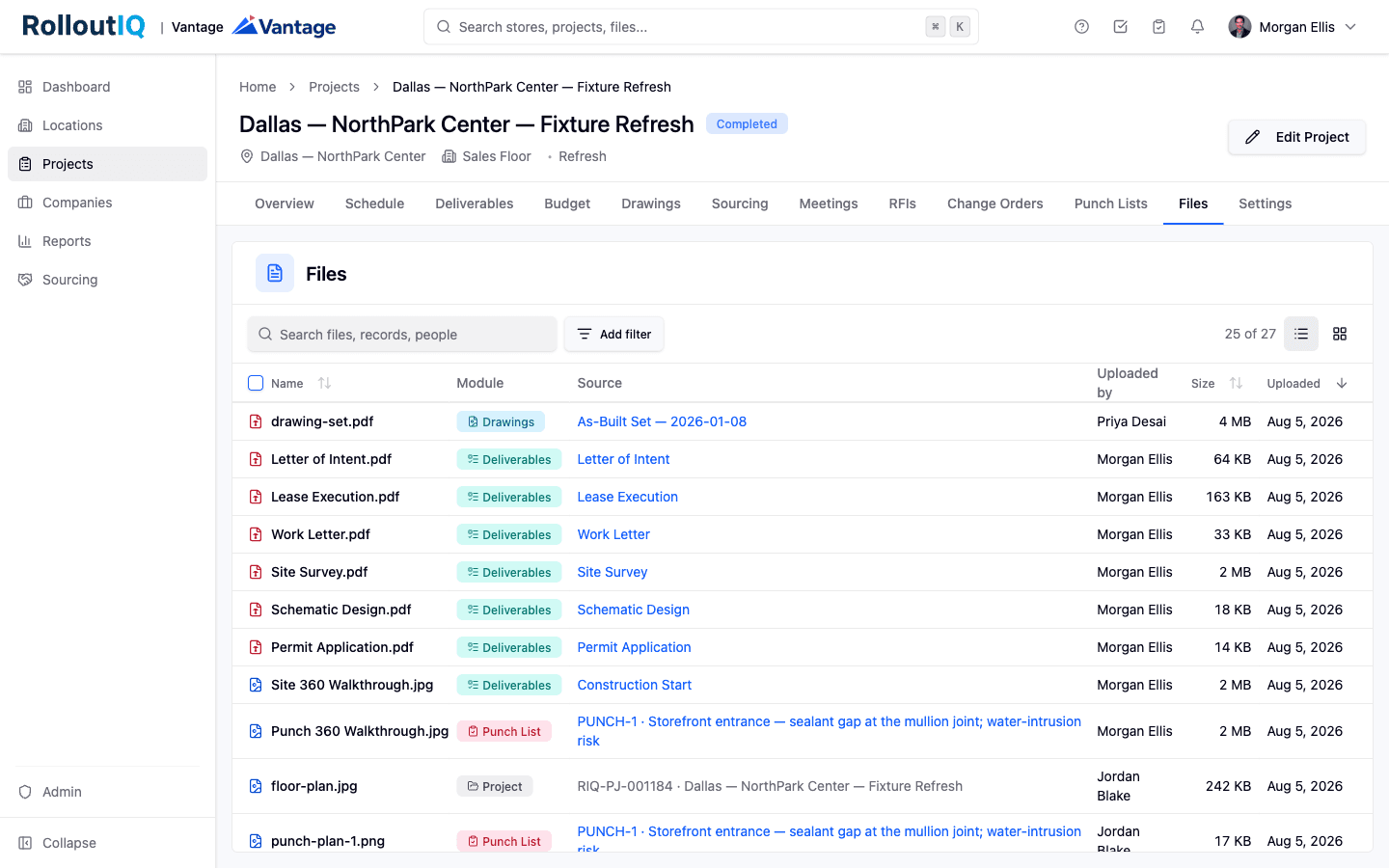
A project's Files area lists everything attached across the job, with the module and source record on each row.
The Problem
Why Construction Document Sprawl Hurts
Shared drives, email attachments, and per-tool file silos do not scale to the document volume retail rollouts generate. Every team improvises, and the cost shows up as missed information and version confusion, with audits harder to answer.
Files Scattered Across Tools
A single project's documents live across Procore, Sharepoint, Box, individual inboxes, and shared drives. When a question arises, no one can find the right document even though it exists somewhere.
No Audit Trail When You Need One
Compliance audits, legal disputes, and warranty claims all require knowing who uploaded, viewed, and shared which document and when. Most tools log nothing or log inconsistently.
Sharing One File Means Sharing Too Much
An outside partner usually needs one document out of the whole project. Generic file stores either hand over too much or push someone to download and re-upload through a side channel.
What RolloutIQ™ Does
What Document Management Should Do
RolloutIQ™ runs one file system behind every part of the platform, so a document attaches where the work happens and follows that work's rules.
One File System Behind Every Module
The same upload pipeline sits behind projects, locations, spaces, RFIs, drawing sets, comments, and punch lists. A file can belong to any of them, and large files chunk automatically as they upload, so a multi-gigabyte drawing set lands as reliably as a one-page PDF.
Isolated Per Tenant, Permissioned by the Record
Every customer's files live behind their own storage boundary, and reaching across tenants is structurally impossible. Access follows the parent record, so a file is visible to exactly the people who can already open the record it hangs on, and the file system never overrides those rules.
Preview in Place, or a Clean Download
Multi-page PDFs open in a scrolling viewer with a page rail and a jump-to-page box, so a 90-page lease reads without downloading. Images render inline, including iPhone HEIC and HEIF photos and AVIF. When a type cannot render, some office documents among them, the drawer shows an honest no-preview message with a Download button instead of a broken frame.
Photos Bring Their Own Context
An equirectangular 360 photo is detected from its metadata and opens in an interactive sphere you can drag through. A photo details panel reads the capture date, camera and lens, exposure, and resolution off the original file, and shows a location map when the photo carries GPS, visible only to people who can already see the file.
Batch Downloads on Demand
Select a set of files and pull them as a single zip, or combine a PDF-only selection into one document. RolloutIQ™ builds the bundle in the background and notifies you when it is ready, which suits permit submissions, audit responses, and project handoffs.
Share a Single File, Then Revoke It
A share link covers one file, read-only, and requires a future-dated expiry within the limit your tenant admin sets. Add an optional cap on how many times it can open, send it to someone with no RolloutIQ account, and cut off access with one click whenever you need to.
Append-Only Download Audit Log
Every download is recorded against the user, the time, the address, the user agent, and how it was reached, whether directly, through a share link, or from a bundle, so the record is in place before any dispute or audit asks for it.
Highlights
Inside the Files Library
Find any document from one library and read its metadata and access history in place, without leaving the page.
One library, every module's files
The project's Files area gathers everything attached anywhere on the job. The 27 files here came from Drawings, Deliverables, the Punch List, and the project record, and each row links back to the source it lives on. Search and filters narrow the list in place.
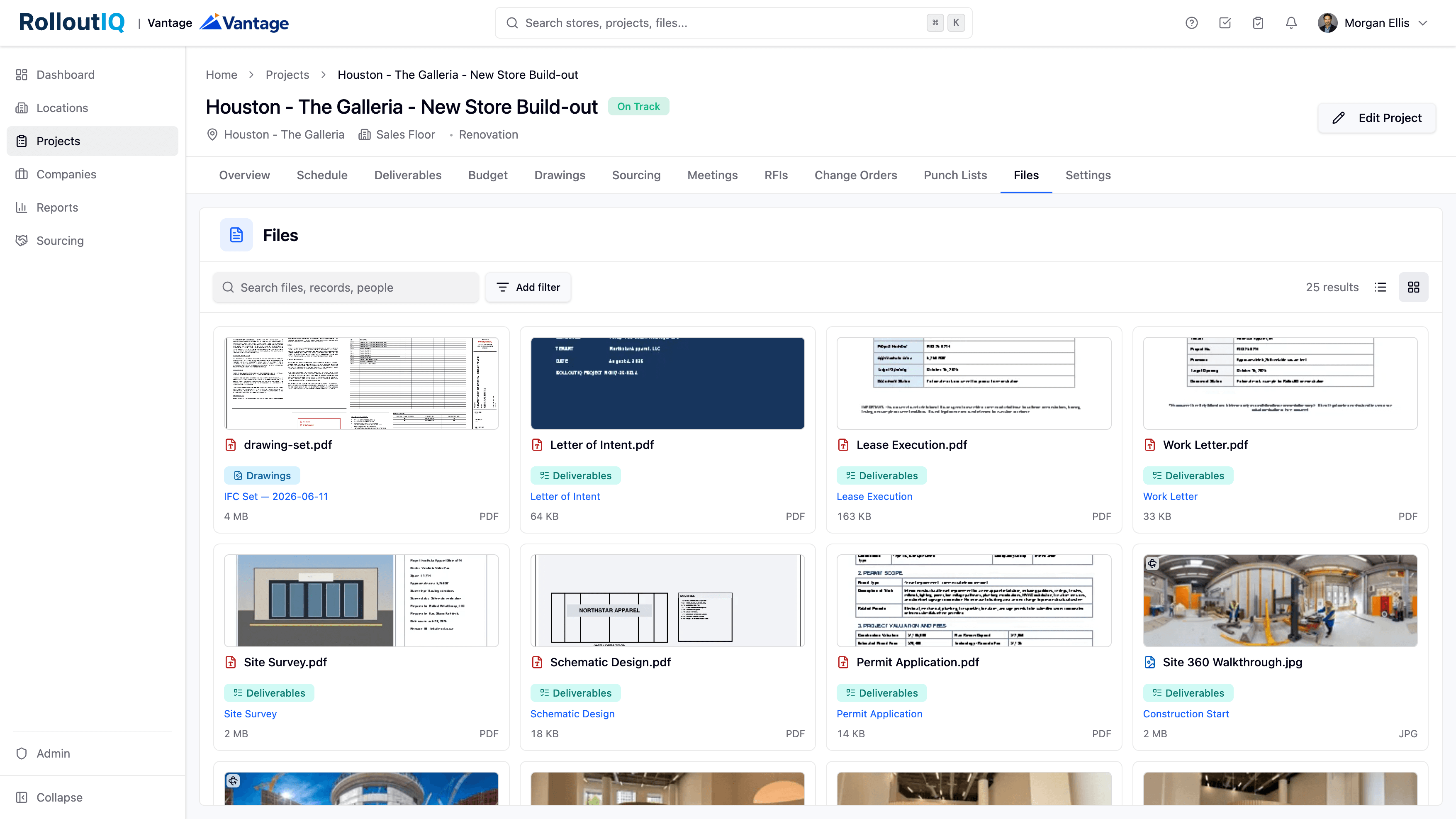
Thumbnails you can read at a glance
The gallery view previews the real documents, a drawing set, an executed lease, a permit form, a floor plan. A Site 360 Walkthrough photo carries a 360 badge, so you know it opens into the interactive sphere before you click.
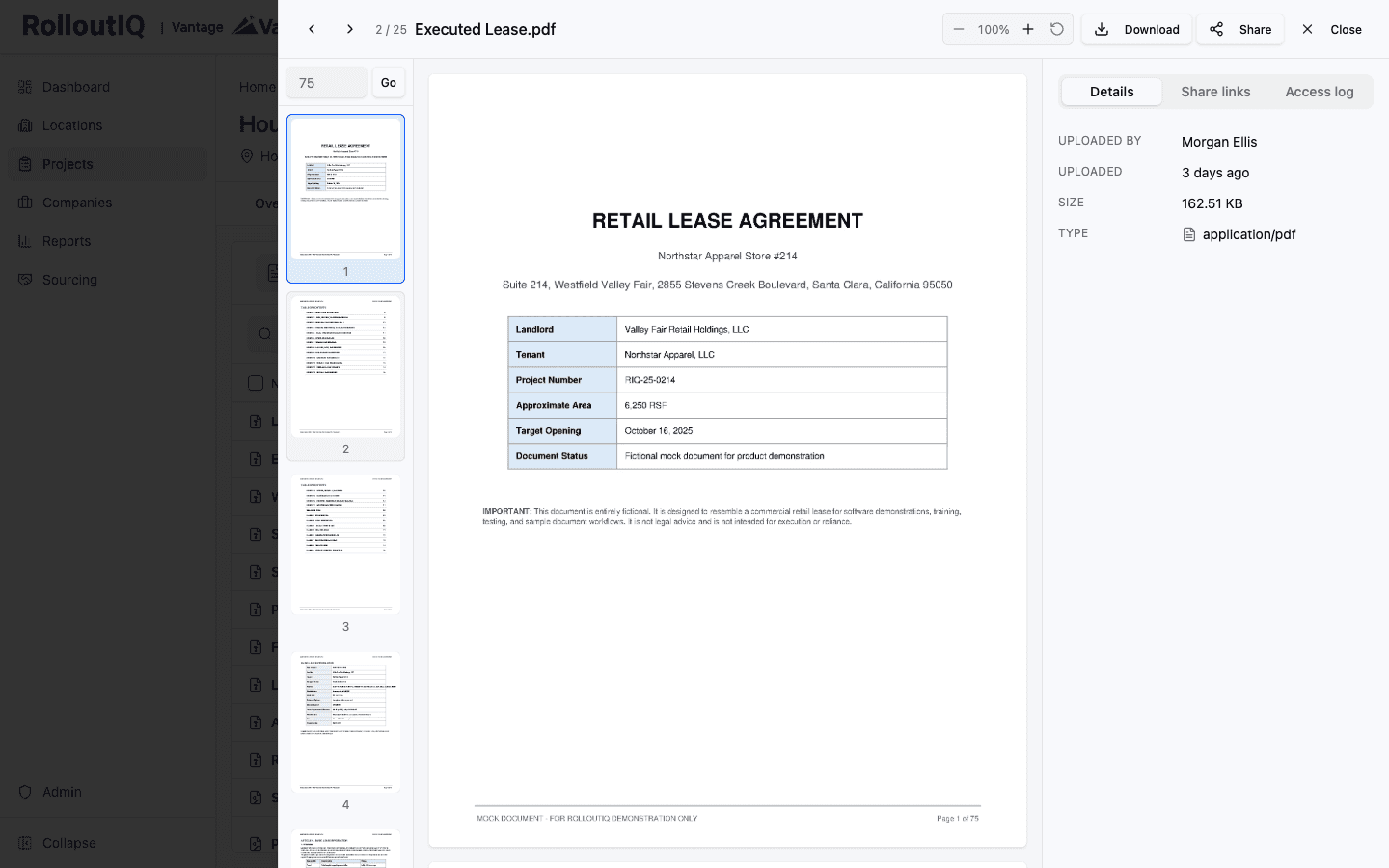
Read a long PDF without downloading it
Click a file and it opens in a drawer with a page rail and a jump-to-page box, so a long lease reads in place. Zoom, Download, and Share sit at the top. The Details, Share links, and Access log tabs hold the file's metadata, its active links, and who opened it.
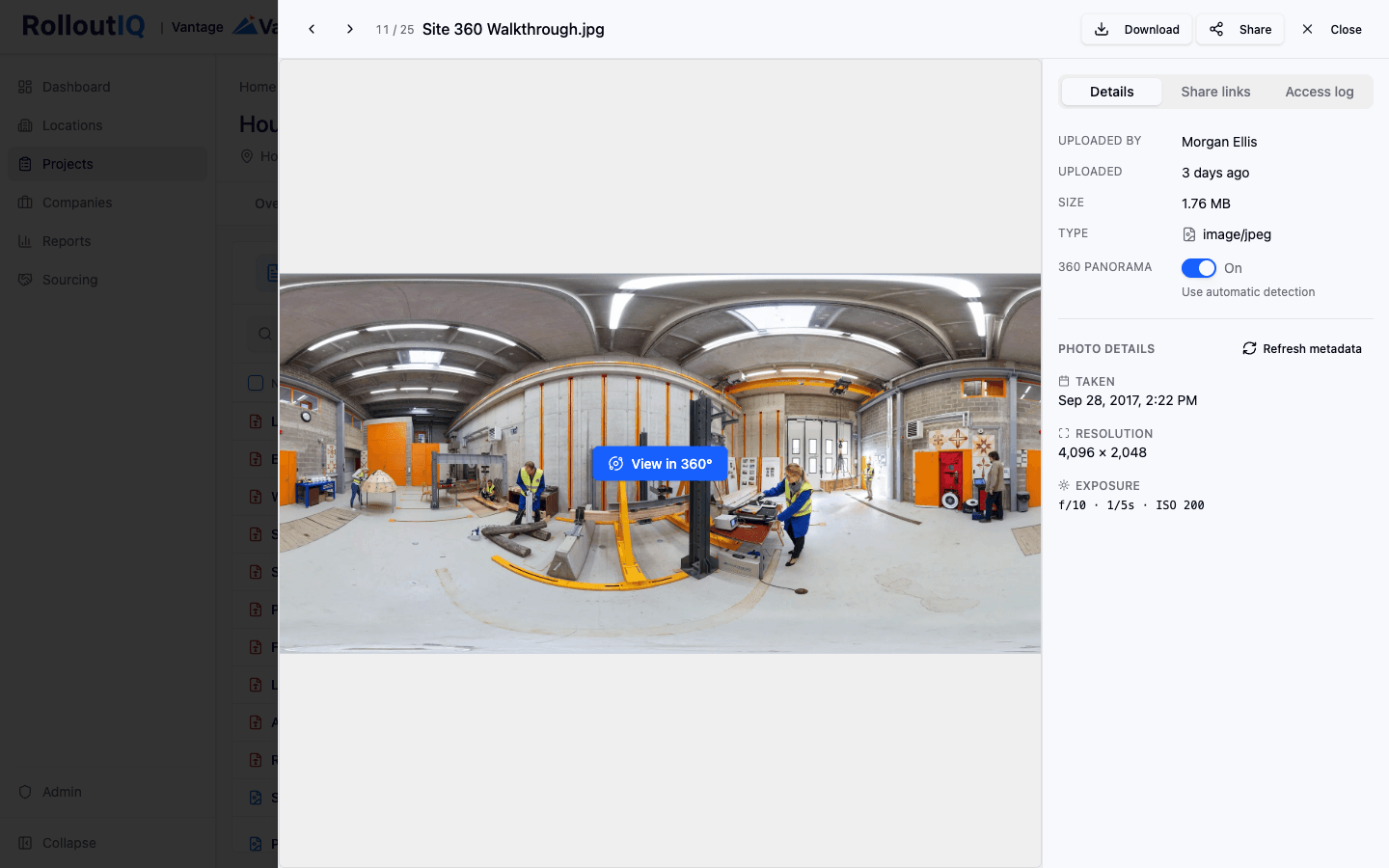
360 site photos, detected and explorable
An equirectangular 360 photo is recognized from its metadata and marked 360 Panorama. Click View in 360 and it opens into an interactive sphere you can drag through, so a full site walkthrough sits right next to the drawings and the punch list.
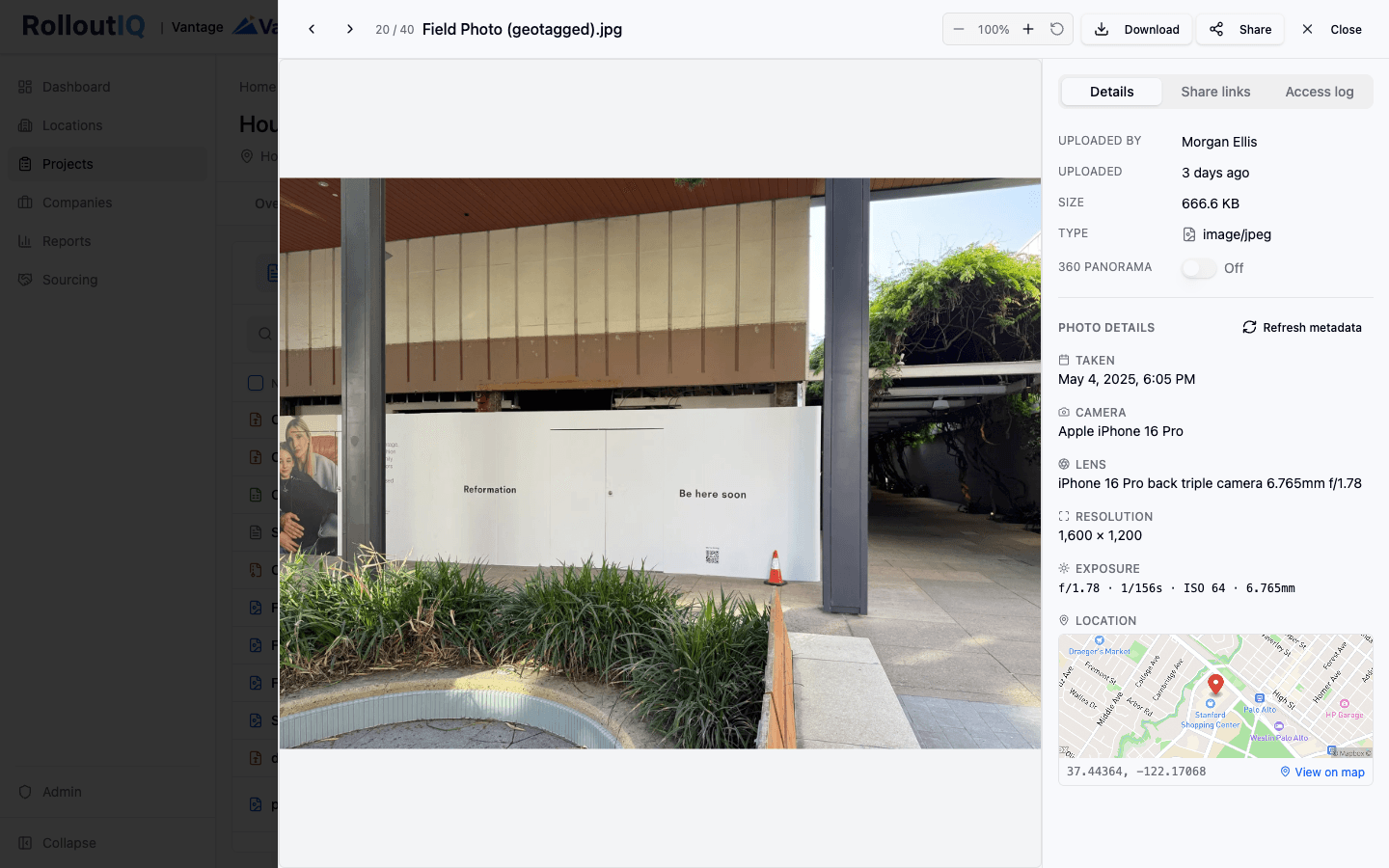
Rich photo metadata, read off the file
For a field photo, the drawer reads the capture date, the camera and lens, the resolution, and the exposure straight off the original file, and drops a pin on a map when the photo carries GPS. The location is visible only to people who can already open the file.
In Practice
How Multisite Teams Use It
Centralize Every File Per Project
Contracts, drawings, specs, RFIs, photos, and closeout documents all sit attached to the project, the RFI, or the schedule item where they belong, searchable from one place under one access model.
Share Files Without Granting Project Access
Send a subcontractor the one document they need on an expiring share link, capped and read-only. Revoke it when the engagement ends, without a second tool or broader access.
Pass Audits With Documentation in Hand
The download log captures who reached every file, when, and how. Compliance and legal reviews resolve against that existing record.
Ready to Stop Hunting for Documents?
See how RolloutIQ™ centralizes every project file with a download audit log, expiring share links, and in-place previews. Book a demo with our team.