

Operations
The Construction PM's Action Item Inbox Stops Working at Multisite Scale
A retail rollout decides itself in small accountable commitments. At one project, a meeting minutes log holds the list together. At 50 projects, commitments scatter across documents and tools, and the person owed the work has no single place to look up what is outstanding. Here is what action item tooling has to do when the portfolio gets to scale.
The Action Item Problem at Portfolio Scale
Retail construction runs on a steady stream of small accountable commitments. A site superintendent agrees to verify the lighting plan by Friday. A designer owes a finish sample for the next OAC. A general contractor commits to clearing a punch by mid-week. Each commitment is too small to justify its own email chain, its own spreadsheet, or its own status meeting. In aggregate, the commitments are the work.
At project scale, this works. A single retail project running 12 to 20 OAC meetings plus 4 to 6 parallel coordination streams produces something on the order of 100 to 200 action items across its life. A diligent PM can track that volume in a meeting minutes log or a project-tool task list.
At portfolio scale, the math breaks. An operator running 50 concurrent projects faces 50 OAC meetings a week plus several hundred parallel coordination sessions. Each meeting yields a handful of action items. At any given moment, a project manager rotating across 12 active stores has 200 to 500 open commitments distributed across their portfolio, captured in some combination of Word documents, OneNote pages, emailed minutes, project-tool task lists, and Slack threads. The person owed the work has no single place to look up what is outstanding for them across all their projects. The act of doing the work requires hunting through five to fifteen documents to figure out what is open.
Two Failure Modes That Drop Commitments on the Floor
Two structural failures drop commitments out of the workflow. Neither is the result of any individual PM being careless.
The first is distributed authorship. A commitment is captured wherever the conversation happened. An OAC minute records one batch. A daily log records another. An RFI thread captures a third. A vendor coordination call notes a fourth. Each surface tracks its own list. The assignee has no aggregated view, so they rely on memory and inbox-search to reconstruct what they owe each week.
The second is authority drift. Meeting 15 logs an action item assigned to a designer. The designer's manager rotates them off the project before Meeting 16. The item carries forward in the minutes by name. Nobody on the project knows whether it was reassigned, dropped, or quietly completed off-meeting. Carryover items decay into noise that gets ignored or deleted the next time someone reviews the minutes.
The deeper failure is that meeting action items live in a different system from the project plan. The reconciliation between the two breaks down by week six of a typical project. After that, the meeting's action item list and the project's task list have drifted apart, and the gap quietly stops being closed. By month three, half the original commitments are unaccounted for in the canonical project record.
Why Generic Task Tools Fall Short
The instinctive solution is a generic task tool. Asana, Linear, Todoist, Monday, ClickUp. They are designed exactly for this shape of work: an assignee, a due date, a status, a comment thread, a personal inbox.
The problem is that these tools live outside the construction workflow. A task created in Asana has no connection to the schedule item, meeting, or RFI it was generated by. When the assignee finishes the work, the construction system of record does not learn about it. The PM has to copy the status back into the OAC minutes manually, or accept that the meeting record is now a snapshot of yesterday's reality.
The reverse approach (a spreadsheet appended to OAC minutes, capturing all action items in one tab) solves the construction-workflow context but loses the personal inbox view. A designer rotating across eight projects with eight different action item spreadsheets cannot consolidate. The spreadsheet is a project view. There is no person view.
Dedicated construction PM platforms partially close this gap, but their action item handling is typically a thin extension of their meeting minute module. The action item is treated as a row inside a Word-document-like minutes file, not as a first-class record with an audit trail, a notification system, and cross-project queryability. When commitments are formatted as paragraphs of prose, they cannot be aggregated, filtered, or routed.
What a Better Approach Looks Like
The structural answer is to treat action items as first-class records that hang off whatever work generated them, with a single inbox aggregating commitments across the portfolio.
Action items need to be polymorphic on their parent. The same task object should attach to a schedule item, a meeting, an RFI, or a change order. The parent owns visibility and edit permissions, and the task inherits. A schedule item's task list and a meeting's action items are the same data shape, queried through different lenses. There is no separate meeting-items system to reconcile against the project plan because there is no separate system.
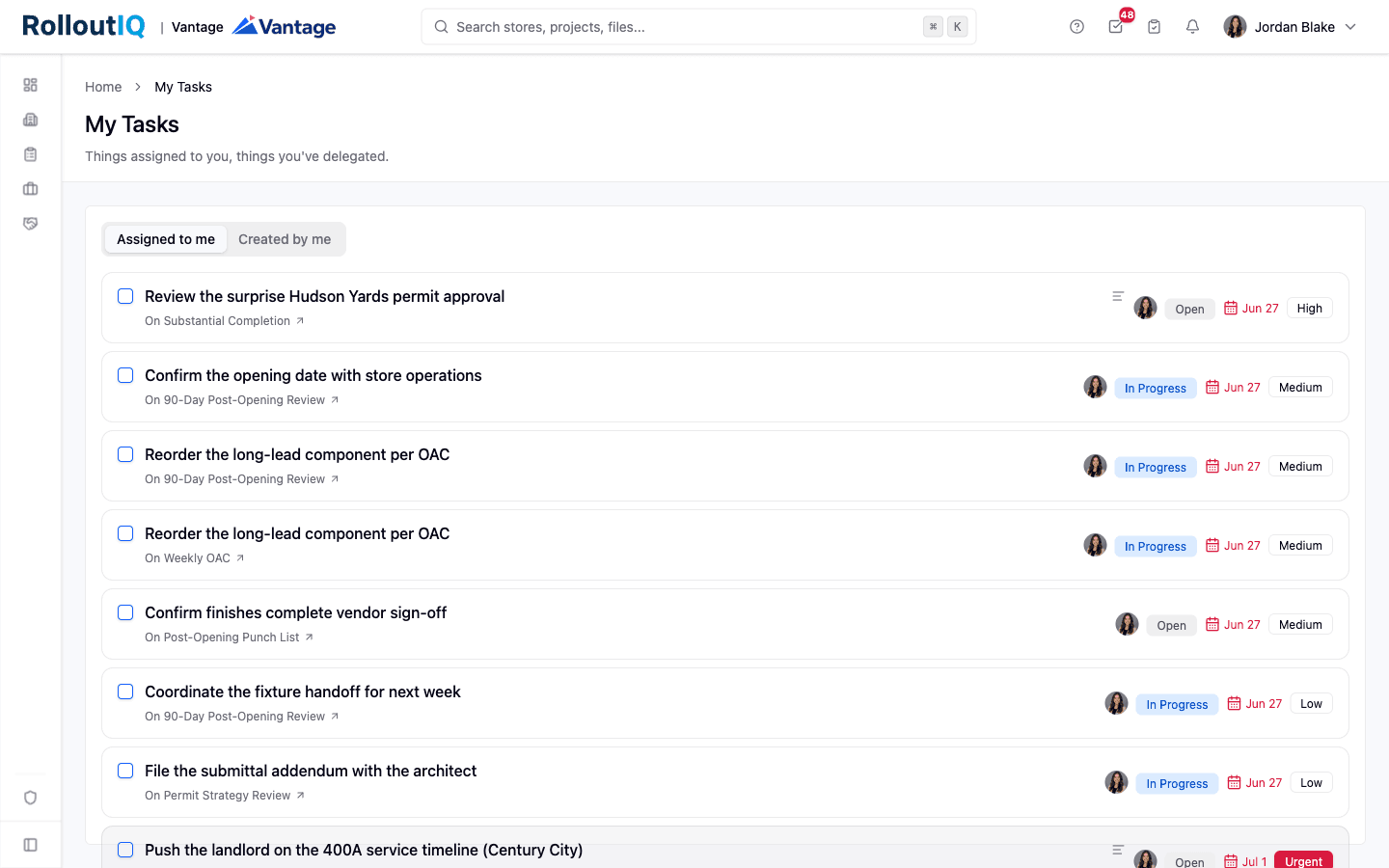
Every user needs a personal inbox in the same tool where the construction record lives. Two clicks from anywhere in the app, the assignee sees everything they owe across every project they touch, with a single counter on the nav showing overdue plus due-today combined so the number reflects what actually needs attention. The full management surface is one click further, for batch review and filtering.
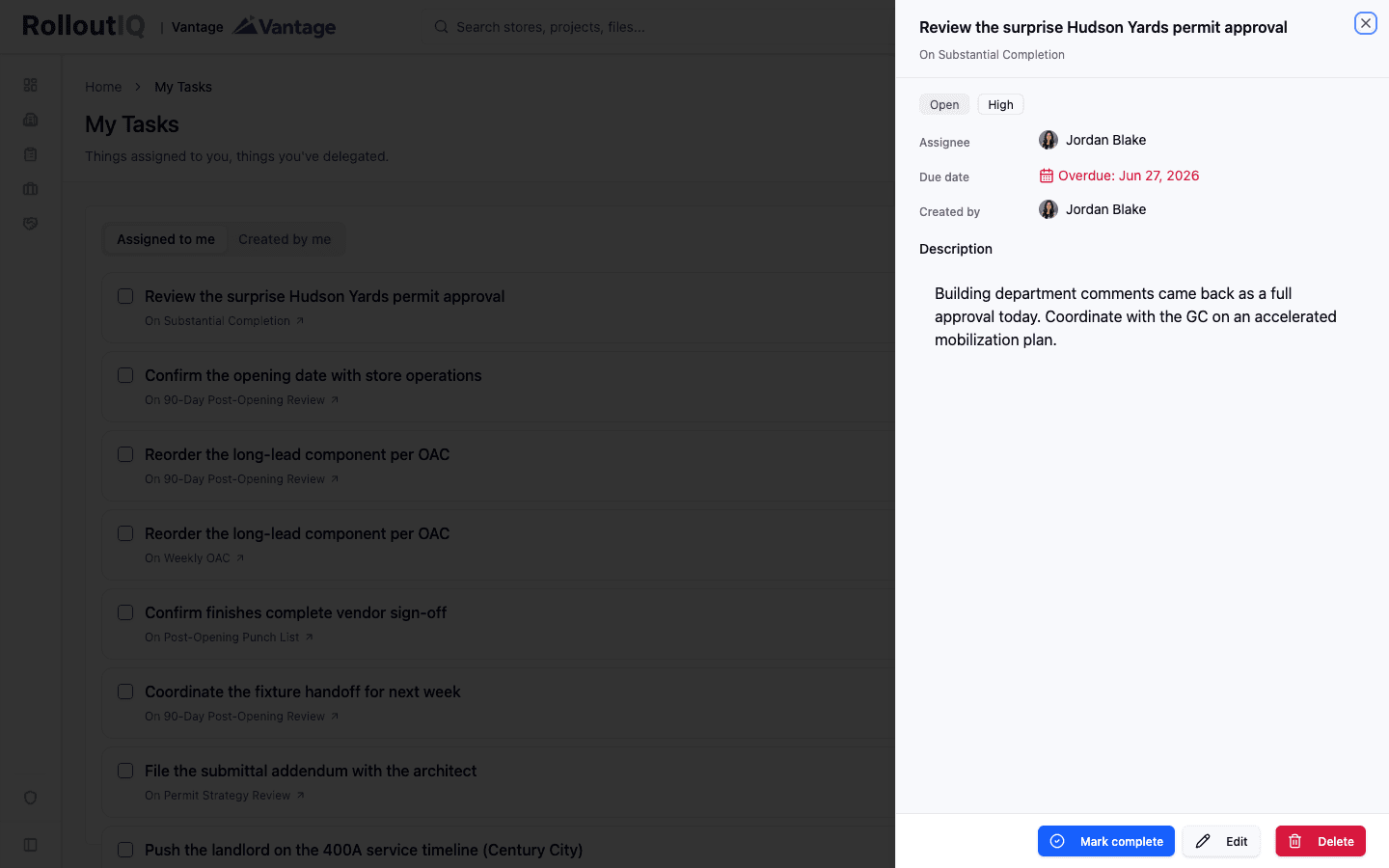
Inline triage matters more than feature depth. The most common workflows on an action item are marking it complete, changing its status, and deferring the due date. Each should be one click on the row, not a modal. Click the status badge, pick a different status from a popover. Click the due date chip, pick from Today, Tomorrow, This Friday, Next Monday, or a custom calendar date. The detail drawer is for the 10 percent of edits that need a full form.
The status vocabulary belongs to the tenant. Different retail organizations call task states different things. Open, In Progress, Blocked, Completed, Cancelled works for most teams. Some teams prefer In Flight to In Progress. Some teams add Awaiting Client or Punch List. Admin should be able to rename, recolor, reorder, or deactivate any non-system status without filing a feature request, and the picker, badge, and inbox should all render the tenant's words in the user's active language.
Notifications should fire on accountability changes, not on every comment. Assigning someone notifies them. Completing a task notifies the creator if the actor is different. A weekly digest summarizes outstanding work for users who prefer batched reminders over per-event pings.
A recent platform update from RolloutIQ™ wired action items into the project record on these lines. Tasks ship as a horizontal capability anchored to any work entity, with a top-nav inbox, inline triage on every row, tenant-customizable statuses translated into 9 supported locales, and notifications on assignment and completion. The polymorphic shape means the same task object that hangs off a schedule item today will hang off a meeting tomorrow without anyone learning a new tool. The point is not the specific implementation. The point is that action items at multisite scale need to live on the work, not in a folder next to it.
What This Looks Like in Practice
Run through a typical Monday morning for a retail PM managing 12 active stores. They open the platform and see the inbox badge showing 47, which is overdue plus due-today combined across the portfolio. The drawer opens to two tabs: Assigned to me (the work they owe) and Created by me (work they delegated and need to follow up on).
They scan the Assigned-to-me list. Three items have been completed since Friday by someone else and just need a glance to verify. The PM clicks the checkbox on each row. The rows go muted with strikethrough, and the counter drops to 44.
Two items are blocked waiting on a vendor response. The PM clicks the status badge, switches them to In Progress, and notes in the description that the vendor is back from leave on Wednesday. No modal opened.
Five items are due today but realistically slipping. The PM clicks each date chip and picks This Friday. The items move out of the today bucket. The total counter drops from 44 to 39.
Seven items belong to a project that was deprioritized last week. The PM opens each task drawer, marks them Cancelled with a reason, and moves on. The Created-by-me tab now shows two items the PM is owed that are overdue. The PM adds a comment on each, the notifications fire automatically, and the assignees see them on their next sign-in.
Total time: eleven minutes. The inbox is now an accurate picture of the week. The project records, meeting minutes, and schedule items the items hang off of all reflect the latest state because there is no separate task system to reconcile.
What Operators Should Look For
Most evaluations of action item tooling default to feature checklists: assignment, due dates, statuses, comments, attachments. The more useful evaluation runs against the structural questions that determine whether the inbox will hold up across a portfolio and across PM turnover. When evaluating action item capability for multisite retail operations, look for these specifics:
- Action items as first-class records anchored to the work that generated them (schedule item, meeting, RFI, change order), not as prose buried in a meeting minutes document
- A personal inbox in the top nav, with two tabs (Assigned to me and Created by me) and a counter that reflects overdue plus due-today combined across every project the user touches
- Inline triage on every row: click the status to change it, click the due date chip to defer it, click the checkbox to complete it, with no modal for the common cases
- Tenant-customized status vocabulary with admin-editable names, colors, terminal flags, and ordering, plus per-locale translations across every locale the tenant supports
- Notifications on accountability changes (assignment, completion by someone other than the assignee) but not on every comment, with a weekly digest option for users who prefer batched reminders
- Audit trail on every task: reassignments, status transitions, due-date edits, and description rewrites with timestamps and user attribution, durable for the same retention horizon as the project record
- Permission inheritance from the parent entity so there is no separate task-viewer role to provision, with a carve-out so an assignee can still complete their own task even if their broader project access is later revoked
- Automatic carryover of open action items onto the next meeting in a series, with inline triage to mark each one complete, defer it, or cancel it without leaving the meeting view
- Polymorphic shape so the same task model carries action items from schedule items today and from meetings, RFIs, change orders, and submittals as those surfaces mature
The Bottom Line
The structural test is whether action items live on the work they were generated by, or in a folder next to it. Anything that lives in a folder fragments across documents and tools at multisite scale, because retail PMs do not have the bandwidth to reconcile 50 weekly OACs plus their parallel coordination streams against a separate task list. The system has to treat the action item as a first-class record on the work, aggregate each assignee's commitments into one inbox, and make inline triage a single click. When it does, what I owe and what I am owed becomes a portfolio query rather than an archaeology project across fifteen documents.
The Rollout
The Rollout, in your inbox
A founder's read on retail and multi-site store development. What the latest news means for your pipeline, and what we are building, every couple of weeks.

Written by
Nariman Shariat
Founder, RolloutIQ
Nariman has spent about 20 years opening stores, in the seat between the landlord, the architect, and the general contractor, across some of the largest retail and workplace fleets in the country. Along the way he built the internal platform that ran store development across a fleet, then rebuilt the same idea company after company. He founded RolloutIQ to give multi-site development teams the single source of truth he kept having to build by hand, and writes here about the work of opening and remodeling stores at scale.
More about NarimanKeep Reading
Related Articles
Continue exploring best practices for store development and construction management.
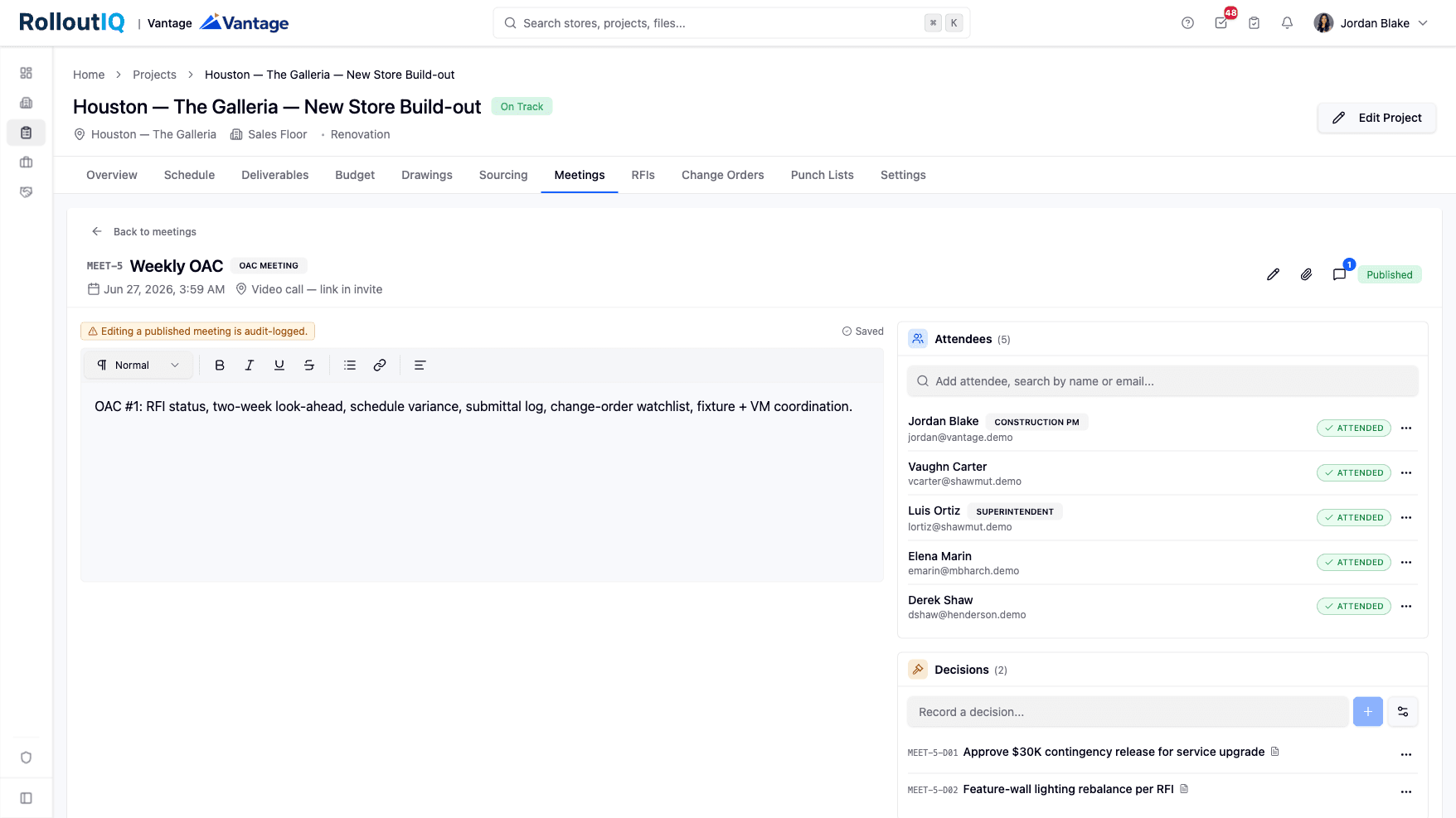
When Twelve OAC Meetings Decide an Opening, Minutes Need to Be Records
A retail rollout decides itself in 12 to 20 OAC meetings, plus 4 to 6 parallel coordination streams running underneath. When minutes live in Word docs and emailed PDFs, the decisions get re-litigated and the action items get lost. Here is what meeting minutes need to do at multisite scale.

Daily Standup Workflows for Multisite Construction Teams
Daily coordination across 20 active projects is harder than coordination across one. Here's how high-performing multisite teams structure their daily cadence.
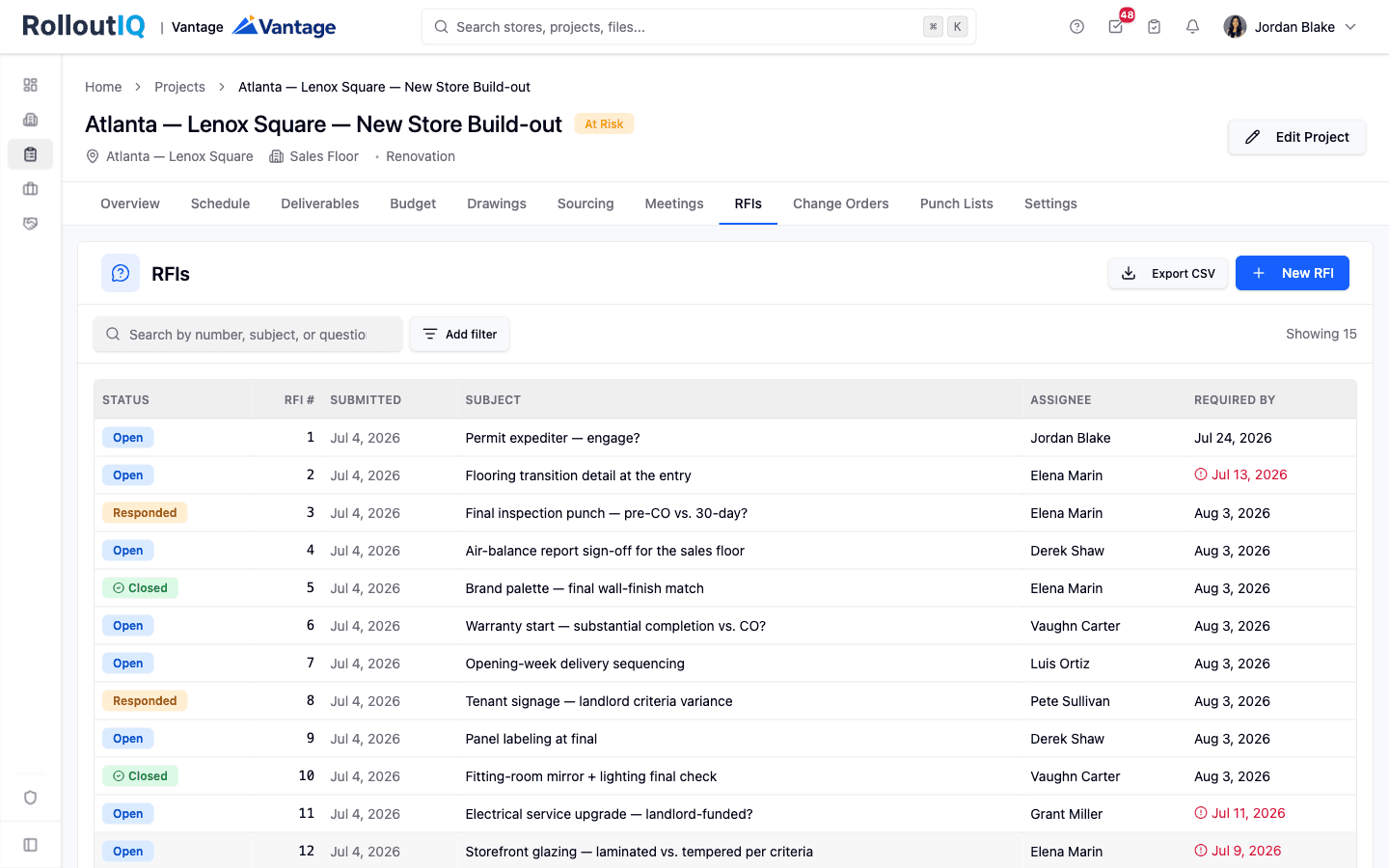
The RFIs You're Answering Twice Are Telling You What to Fix
A top-10 retailer processes 30,000 to 200,000 RFIs a year at over $1,000 each. The hidden cost isn't the processing fee. It's that the same question gets asked 50 times across stores and nobody connects the dots.
Ready to Build Smarter?
See how RolloutIQ™ can streamline your retail and multi-site rollout program. Book a personalized demo with our team.